In this guide we walk you through it step by step, from verifying the portfolio to linking the business.
The process has two main stages:
- 1Verify the business portfolio.
- 2Link a business to the business portfolio.
1. Verify the business portfolio
- 1
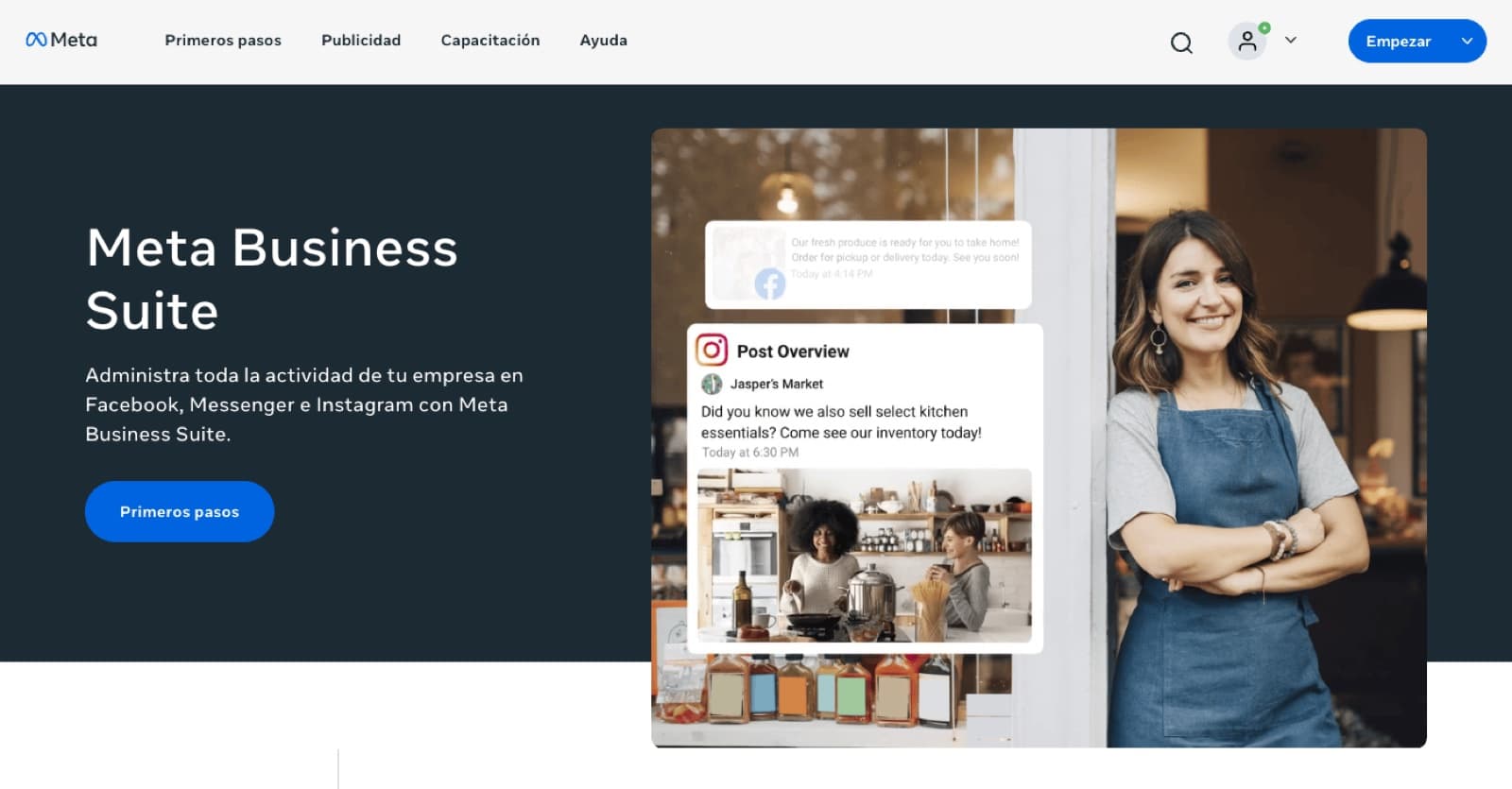
Once you meet all the requirements, go to Meta Business Suite: https://www.facebook.com/business/tools/meta-business-suite
- 2
Click “Get started”.
- 3
Log in with the Facebook account linked to your Page.
- 4
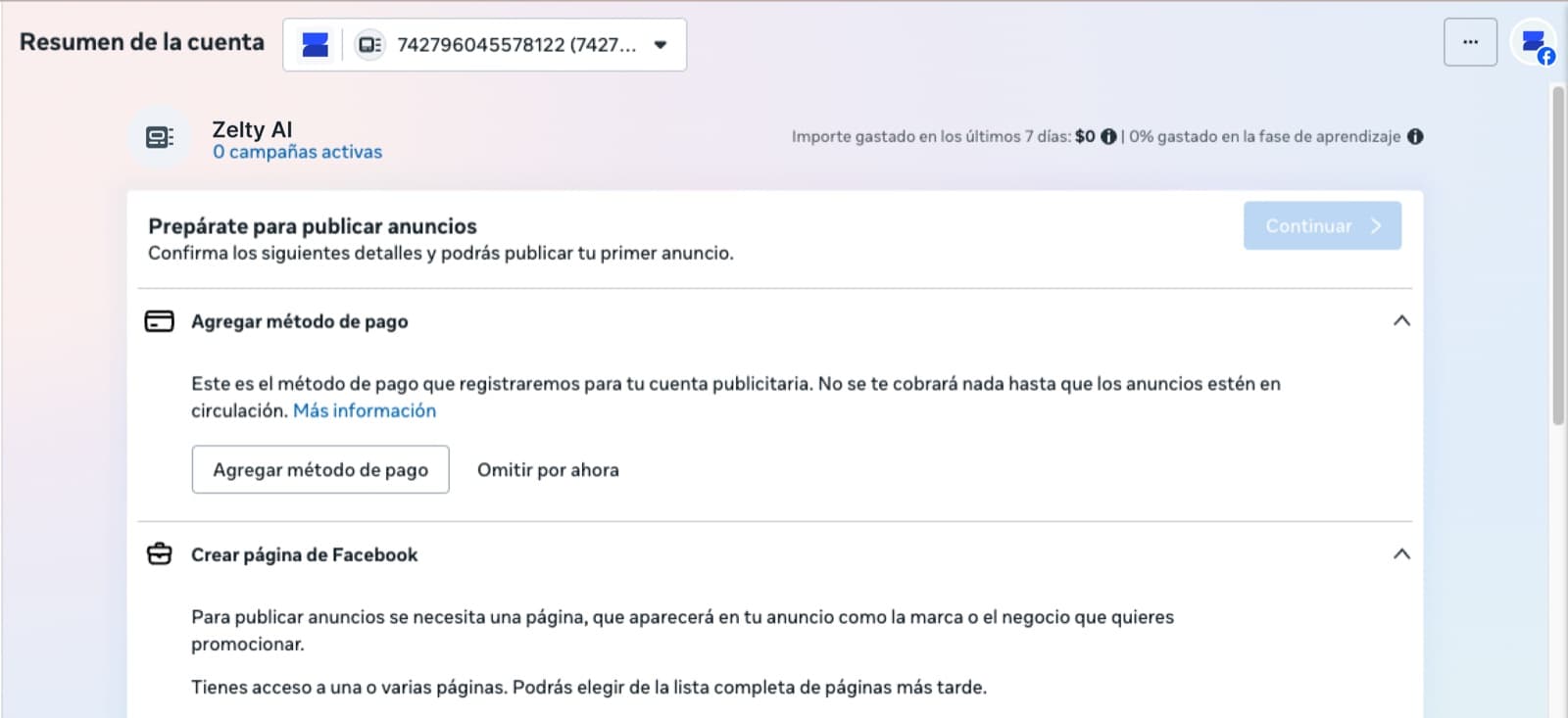
Open the menu and click “Account overview”.
- 5
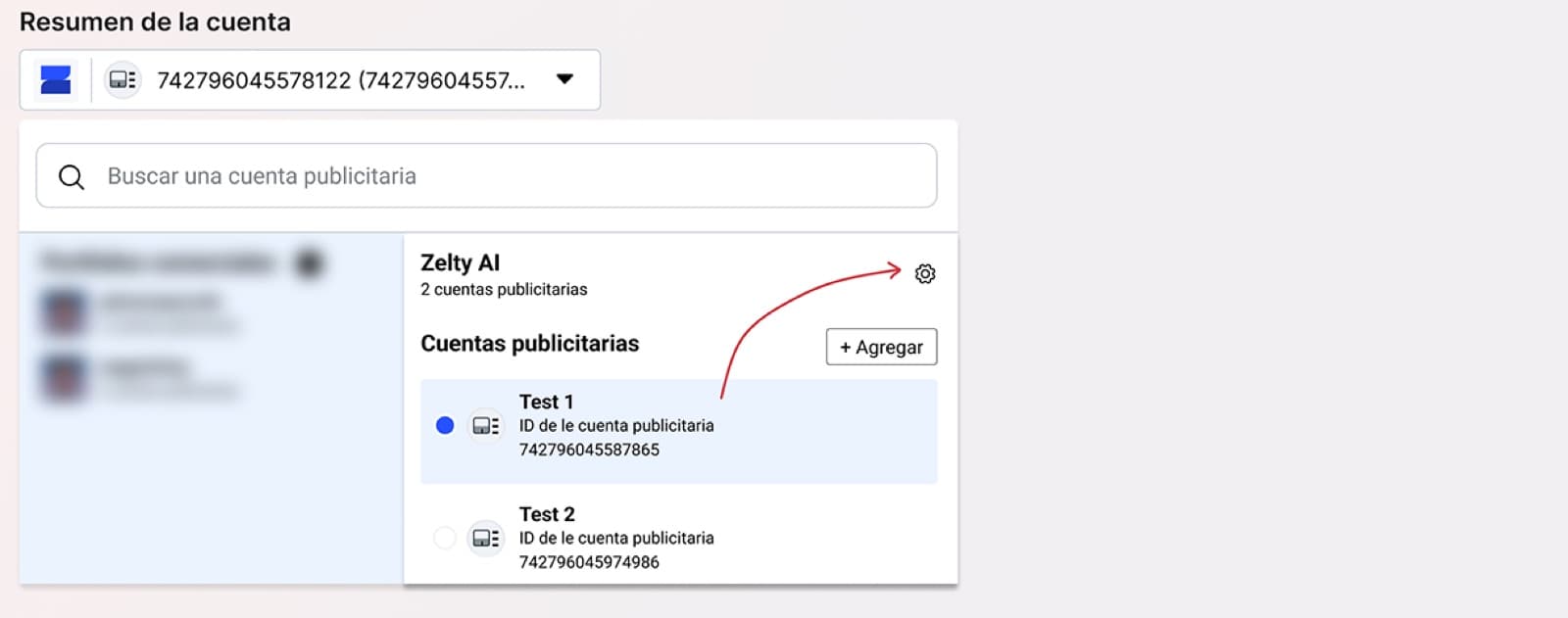
A window will open where you select the business portfolio (usually named after your website). Then click the settings icon (the gear).
- 6
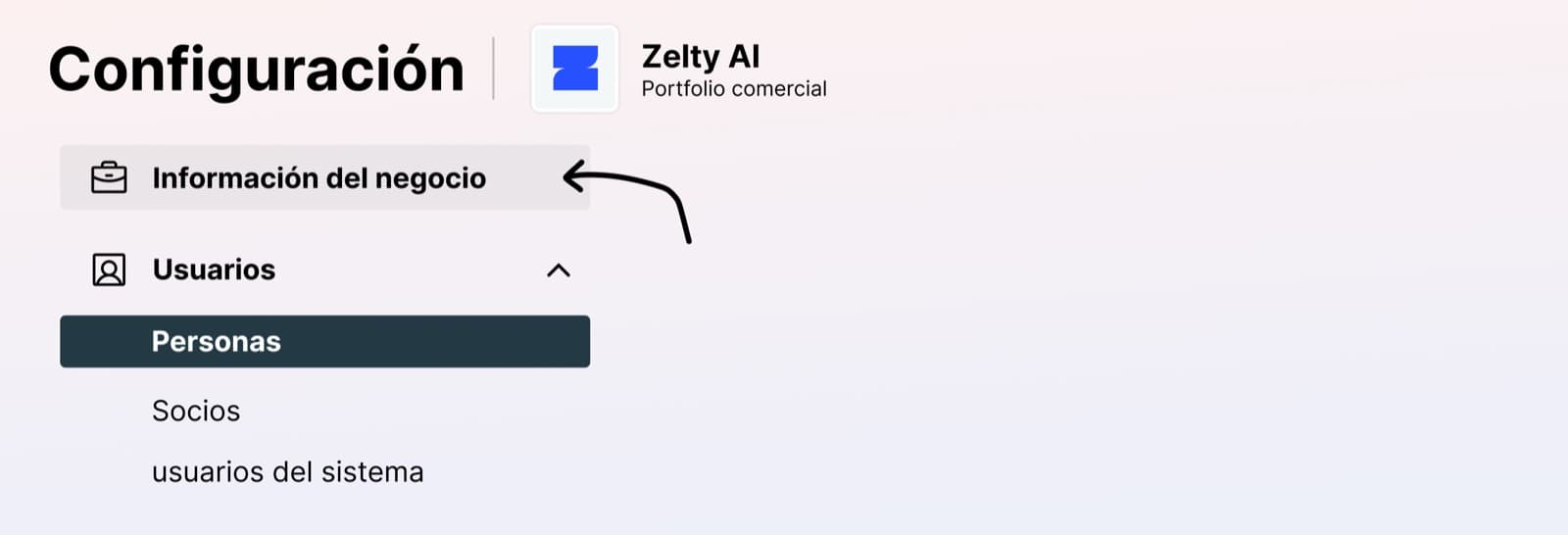
This opens your business portfolio's control panel, where you click Business info:
- 7
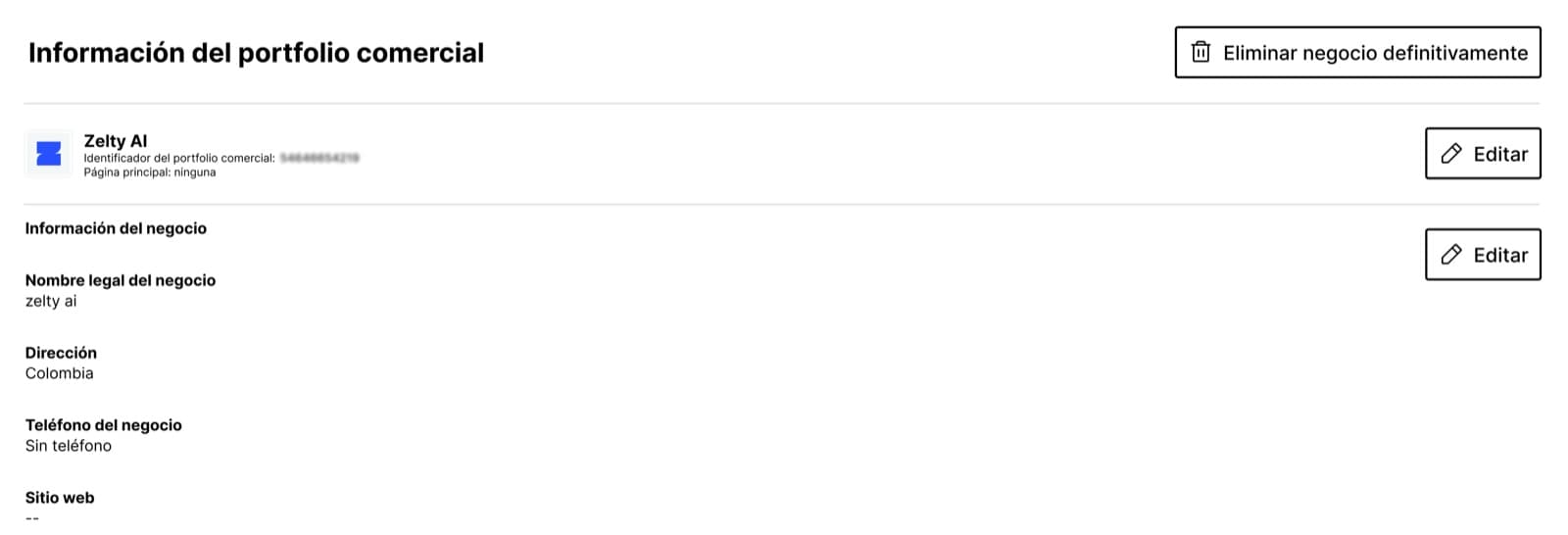
Edit the portfolio details with your business's real information:
- 8
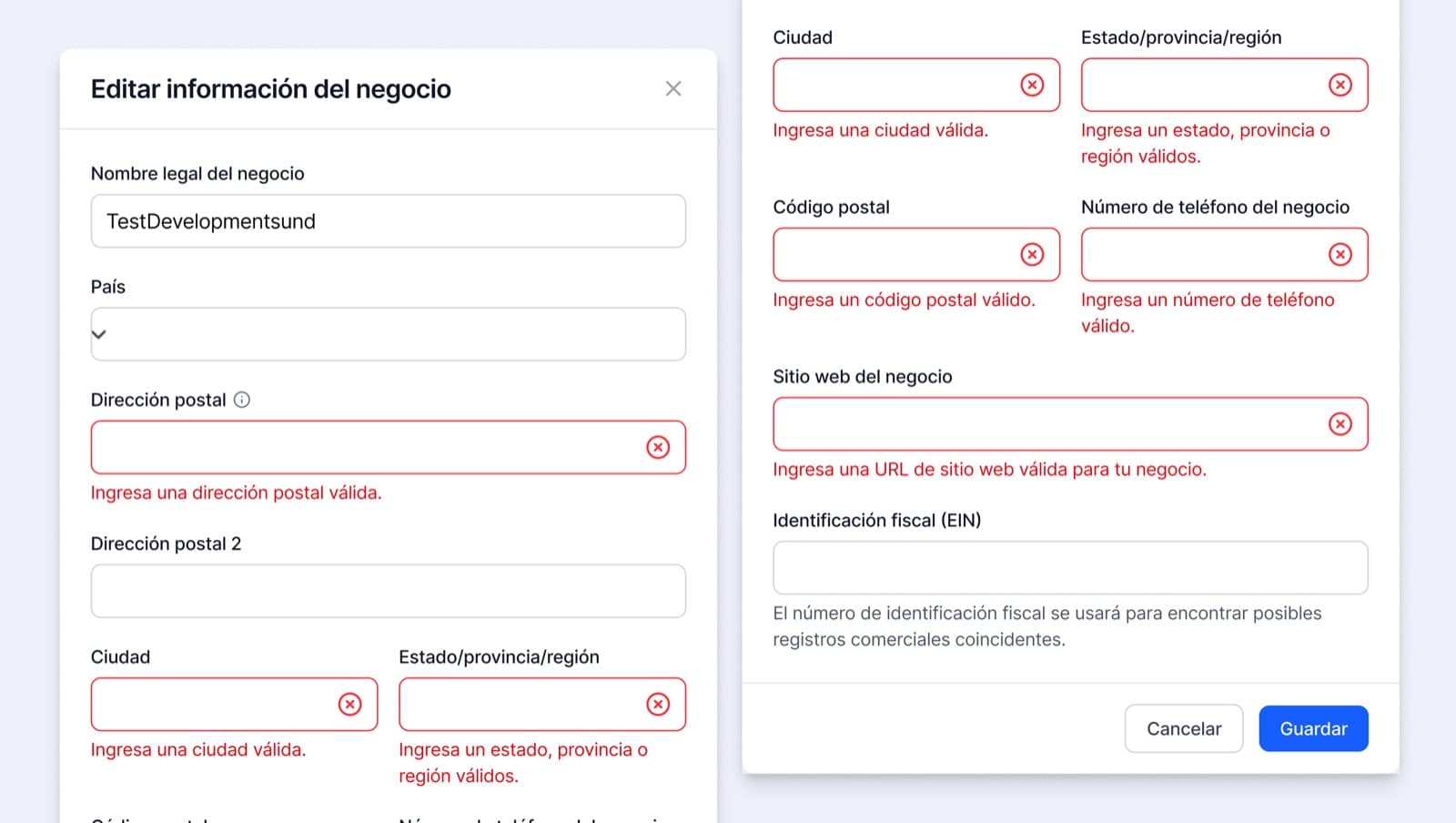
Fill in the form and click “Save” to start the portfolio verification.
2. Link a business to the business portfolio
- 1
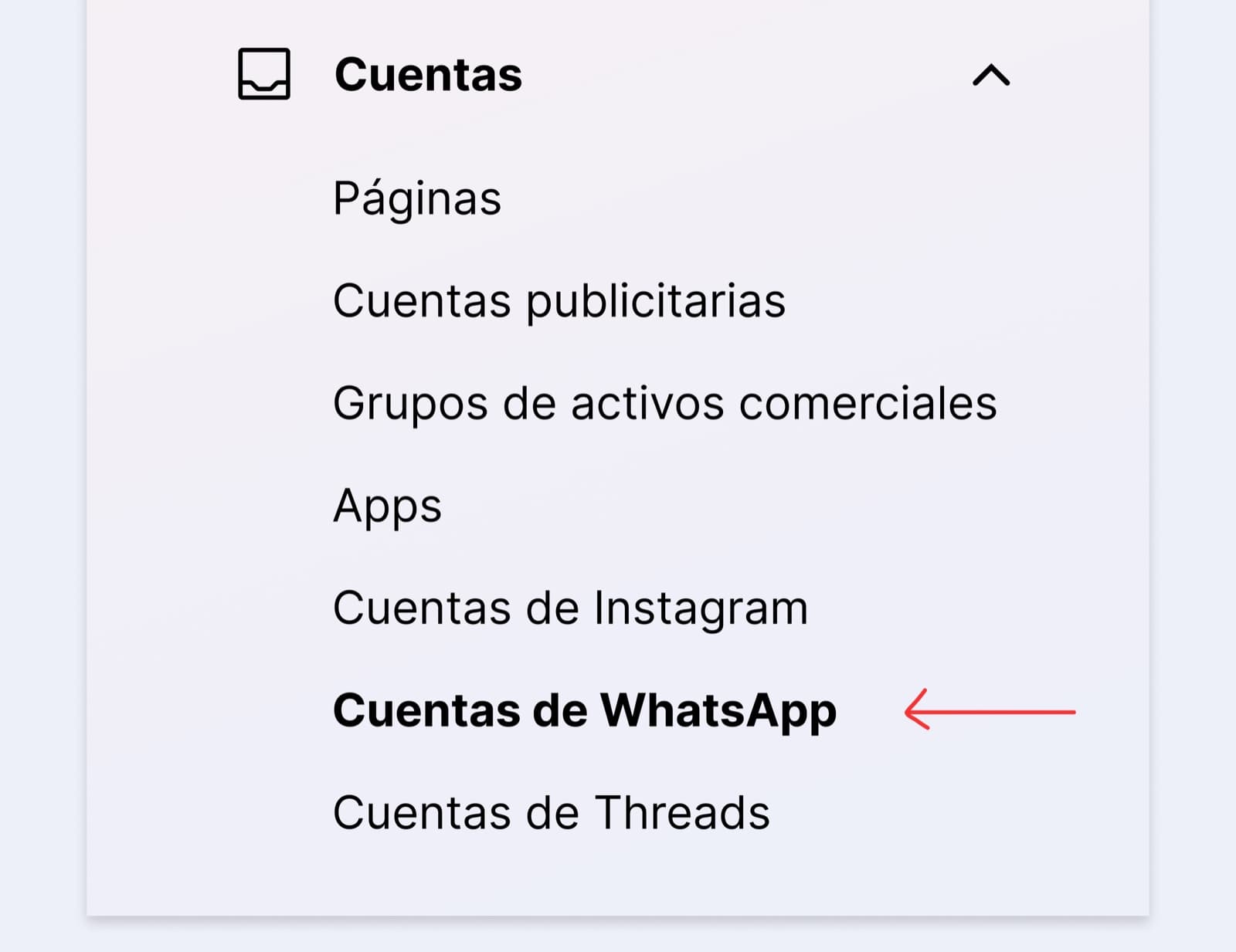
In the portfolio's control panel, select “WhatsApp accounts”.
- 2
A new screen will open where you click the blue “Add” button and choose “Create a new WhatsApp Business account”.
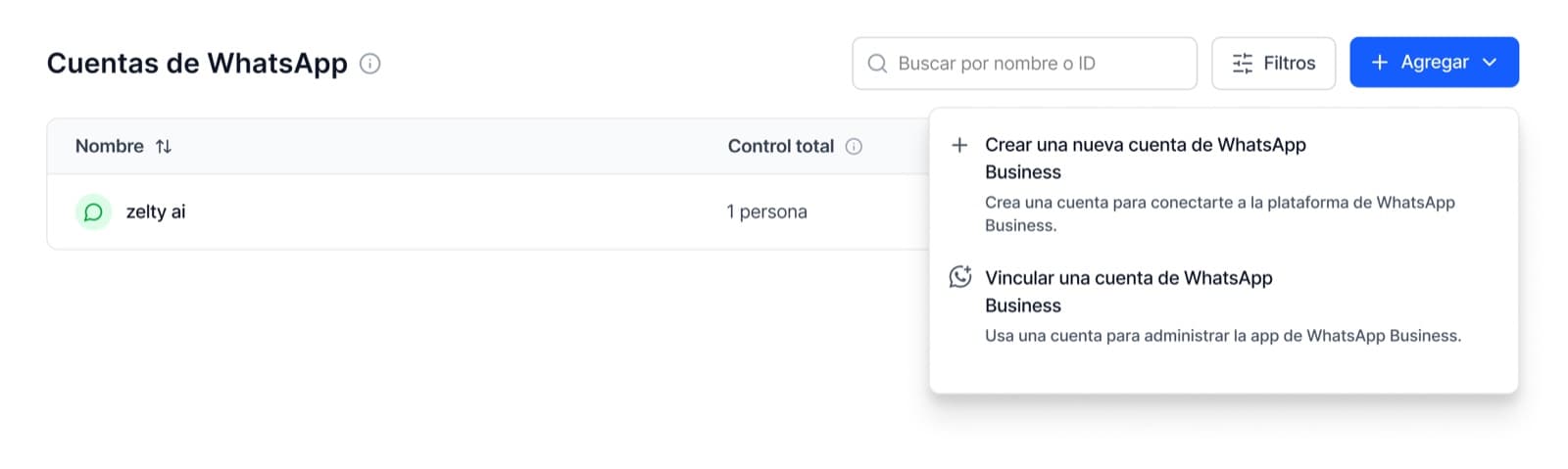
- 3
A new window opens where you choose the name and category. We recommend using the same name as the portfolio; if your category isn't listed, you can pick another one at the end.
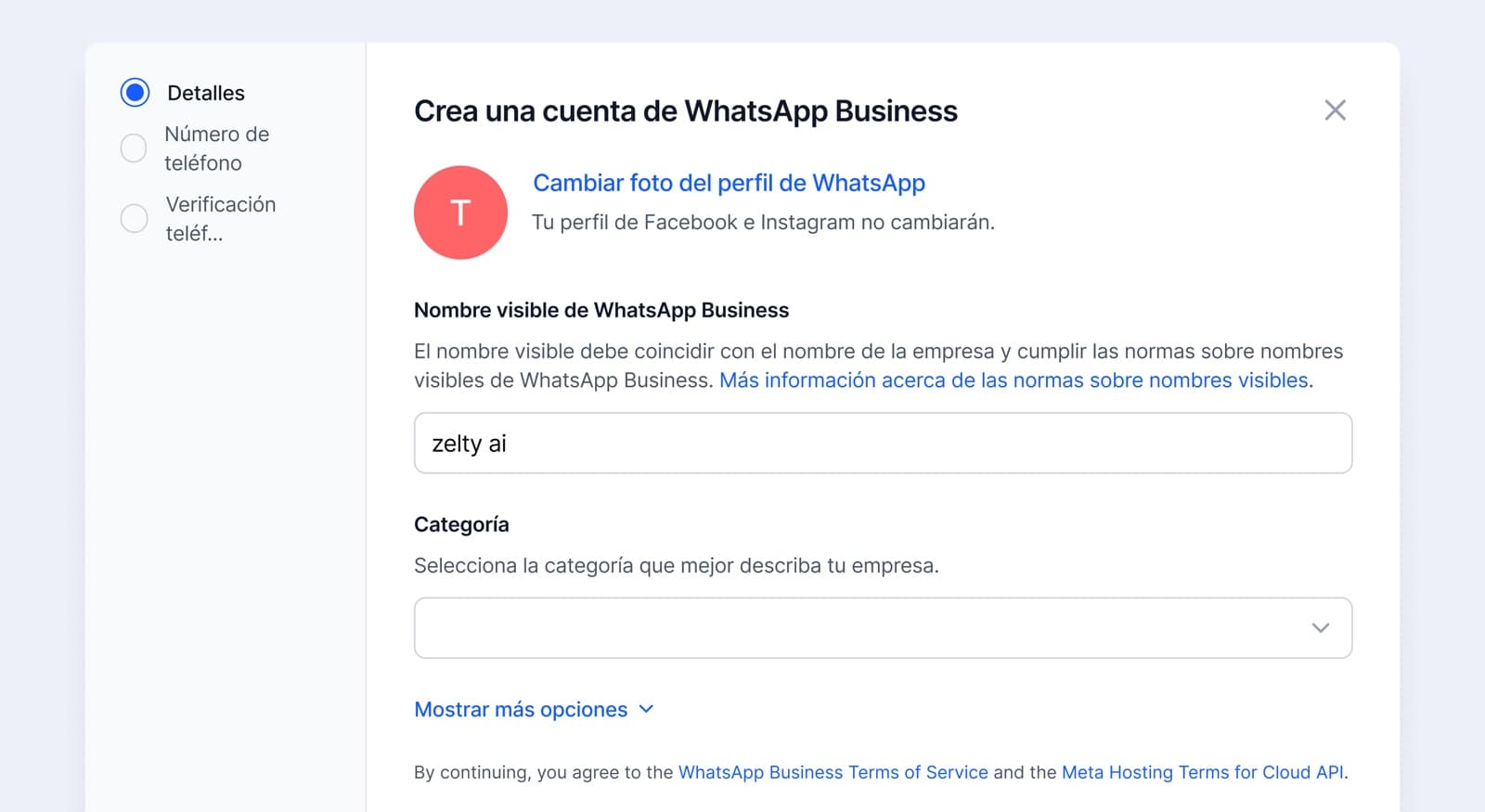
- 4
Here, choose to add a new number, select your country code, enter your test number and, finally, choose the text message option.
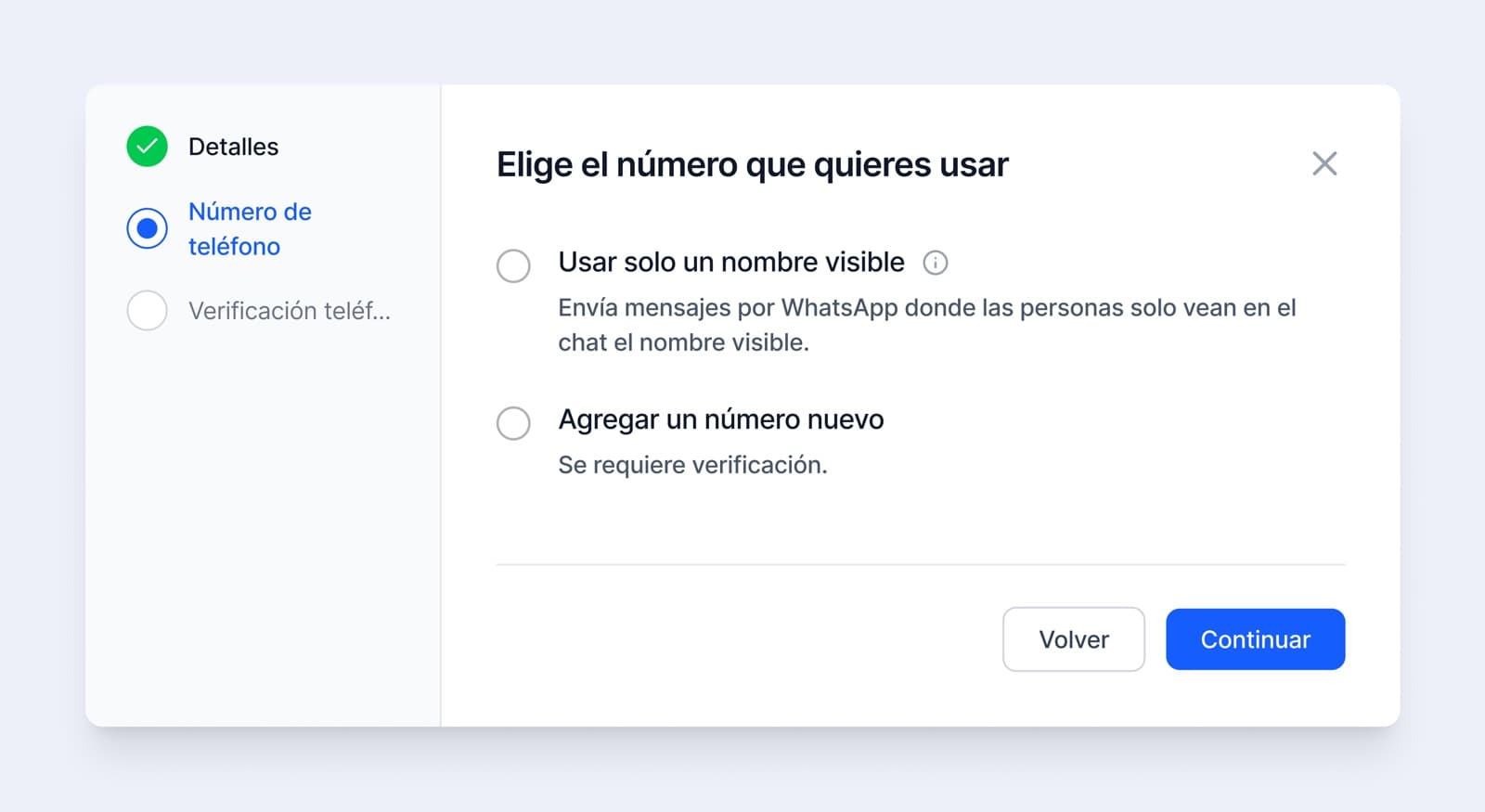
- 5
Enter the code you receive by SMS and click Next:
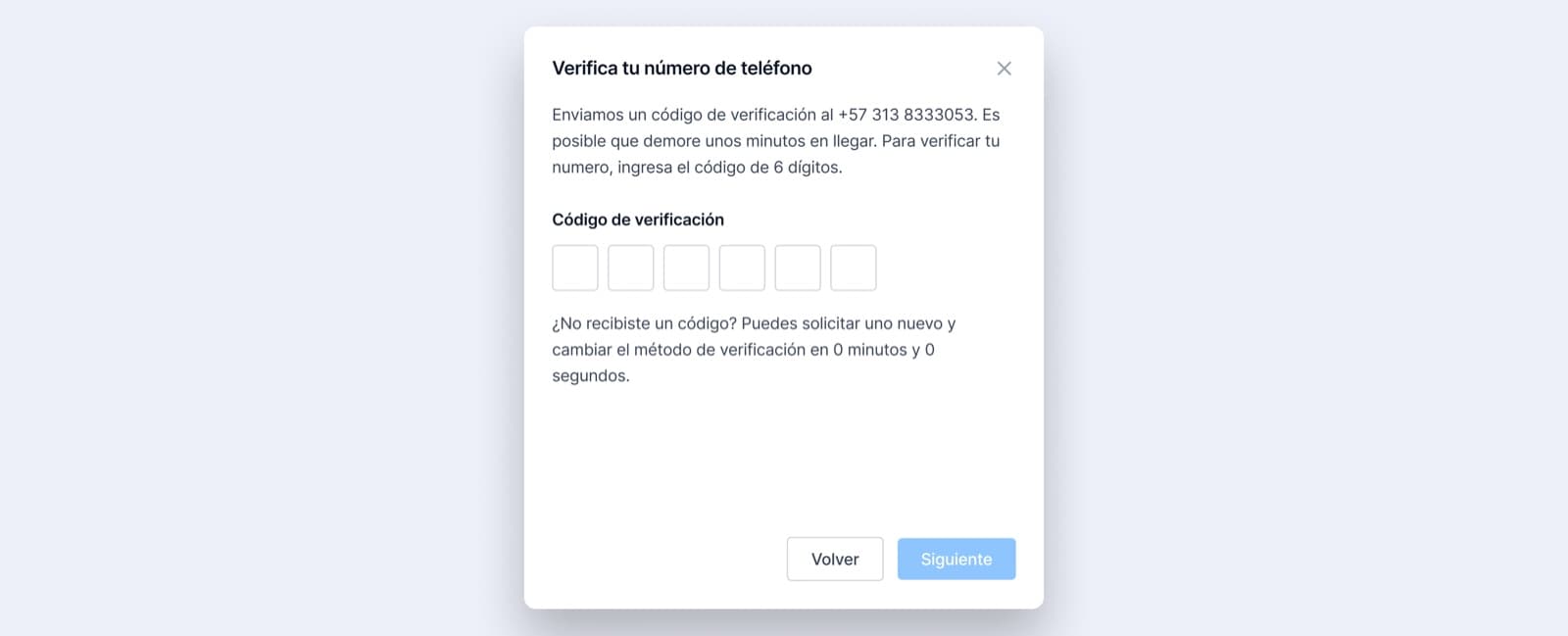
- 6
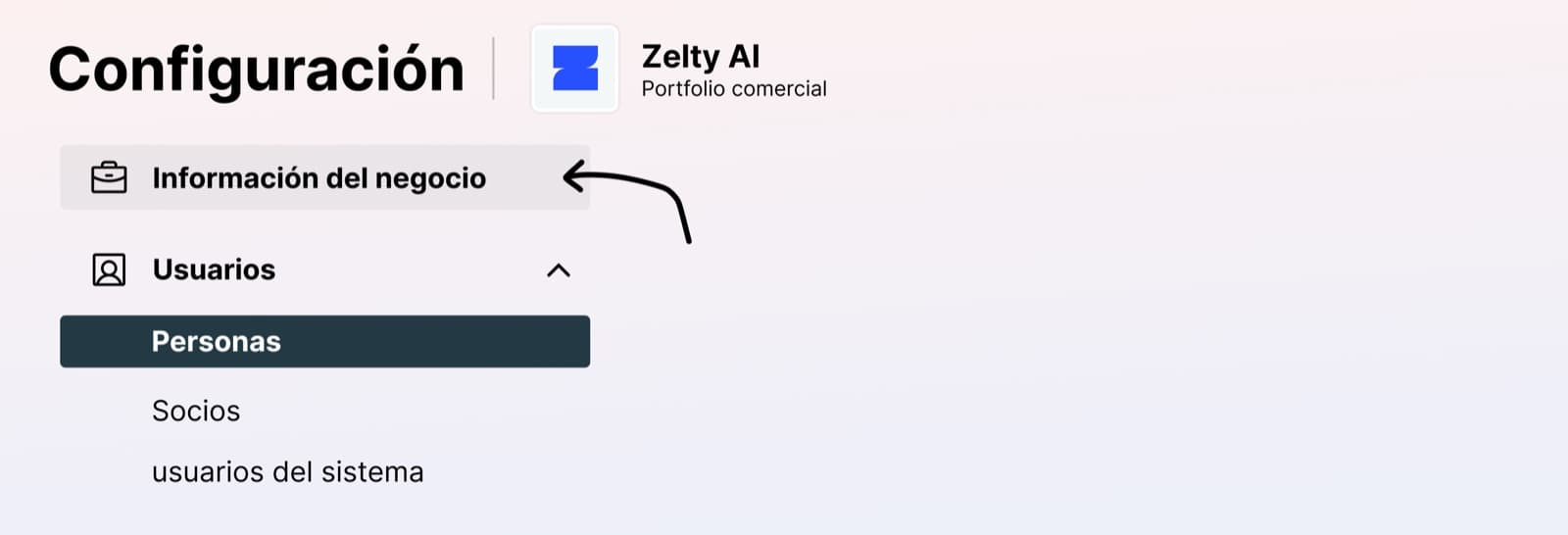
Once the test number is linked, go back to Business info in this menu:
- 7
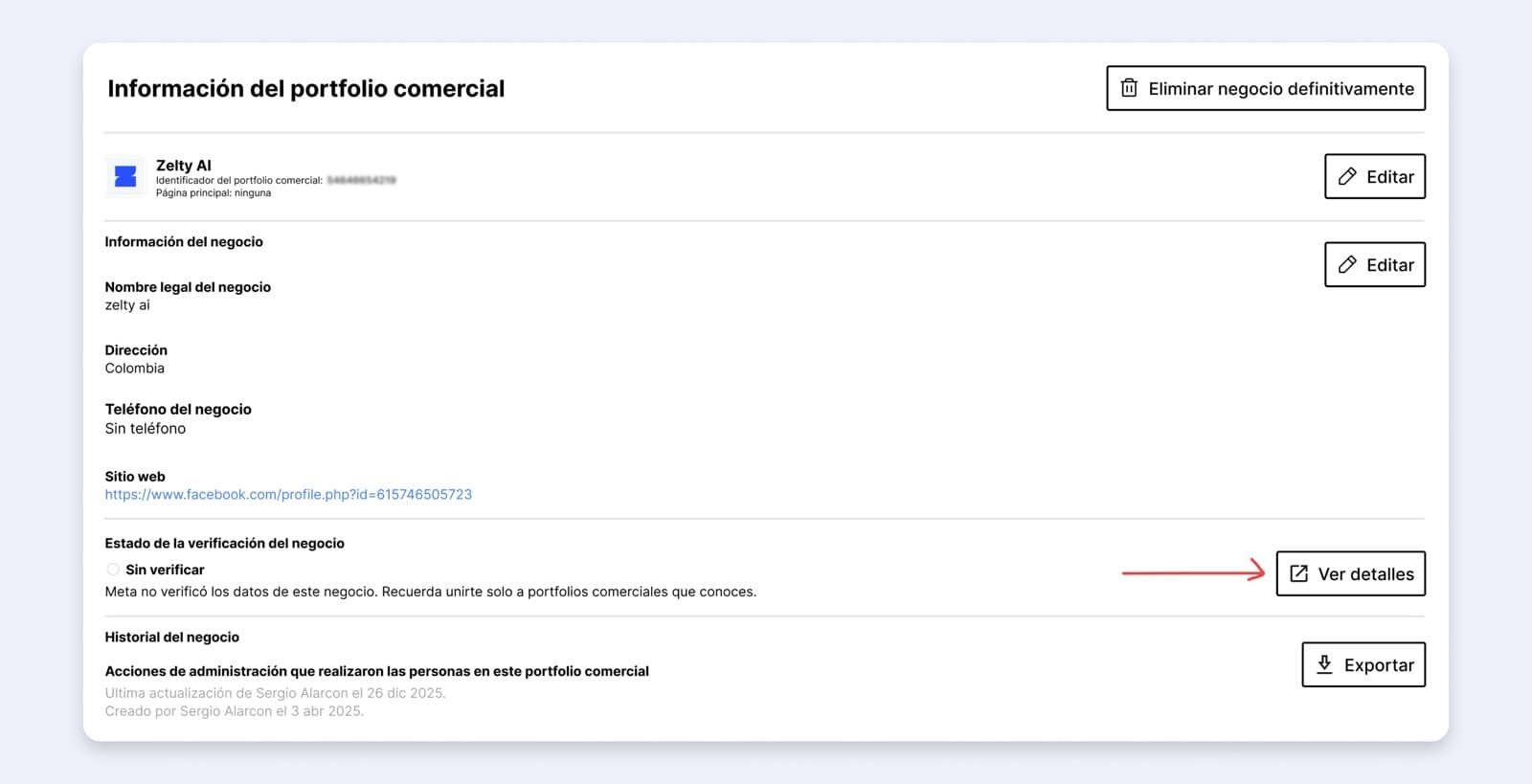
Now select View details under the business verification status:
- 8
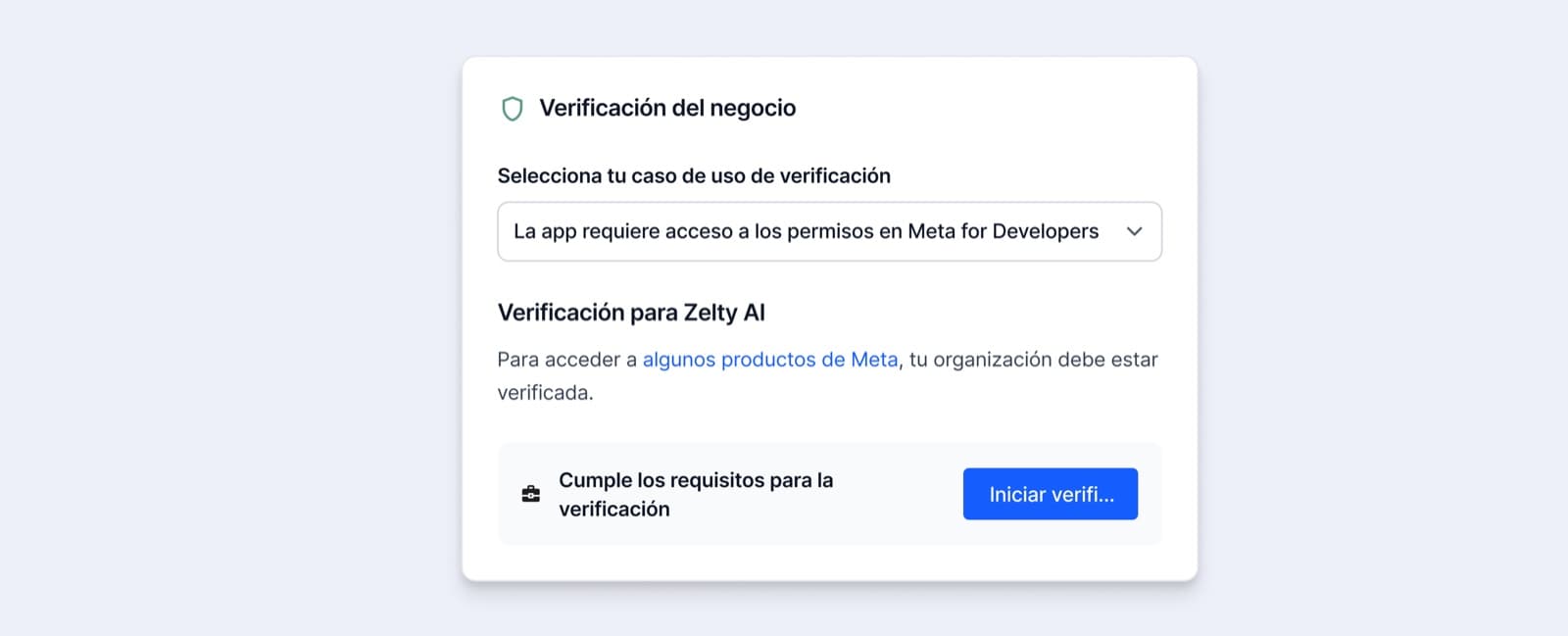
In the new tab that opens, click Start verification:
- 9
Select the country where your business is registered:

- 10
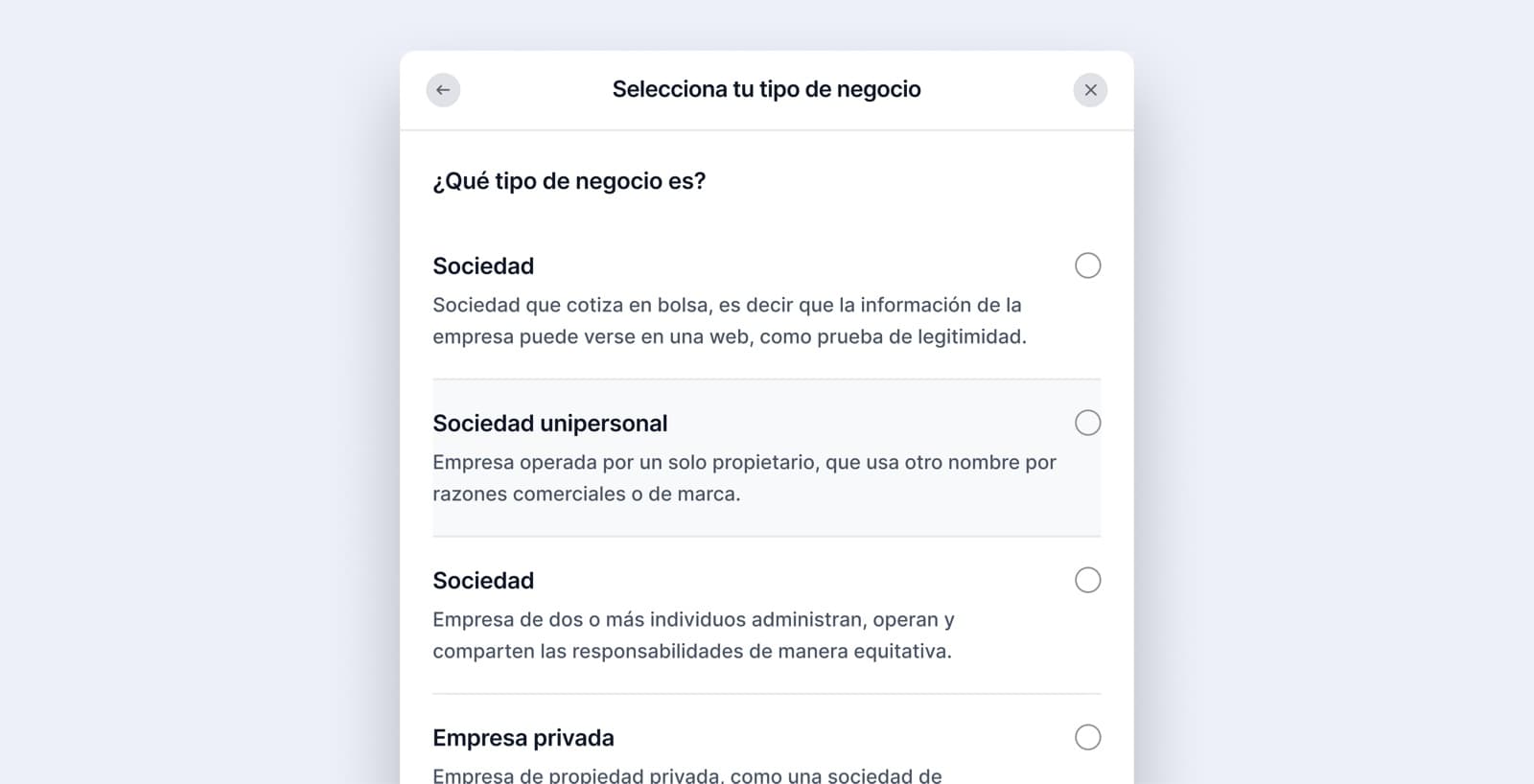
Choose your type of company.
- 11
Correct the name if it doesn't match the one your company is registered under in your country.
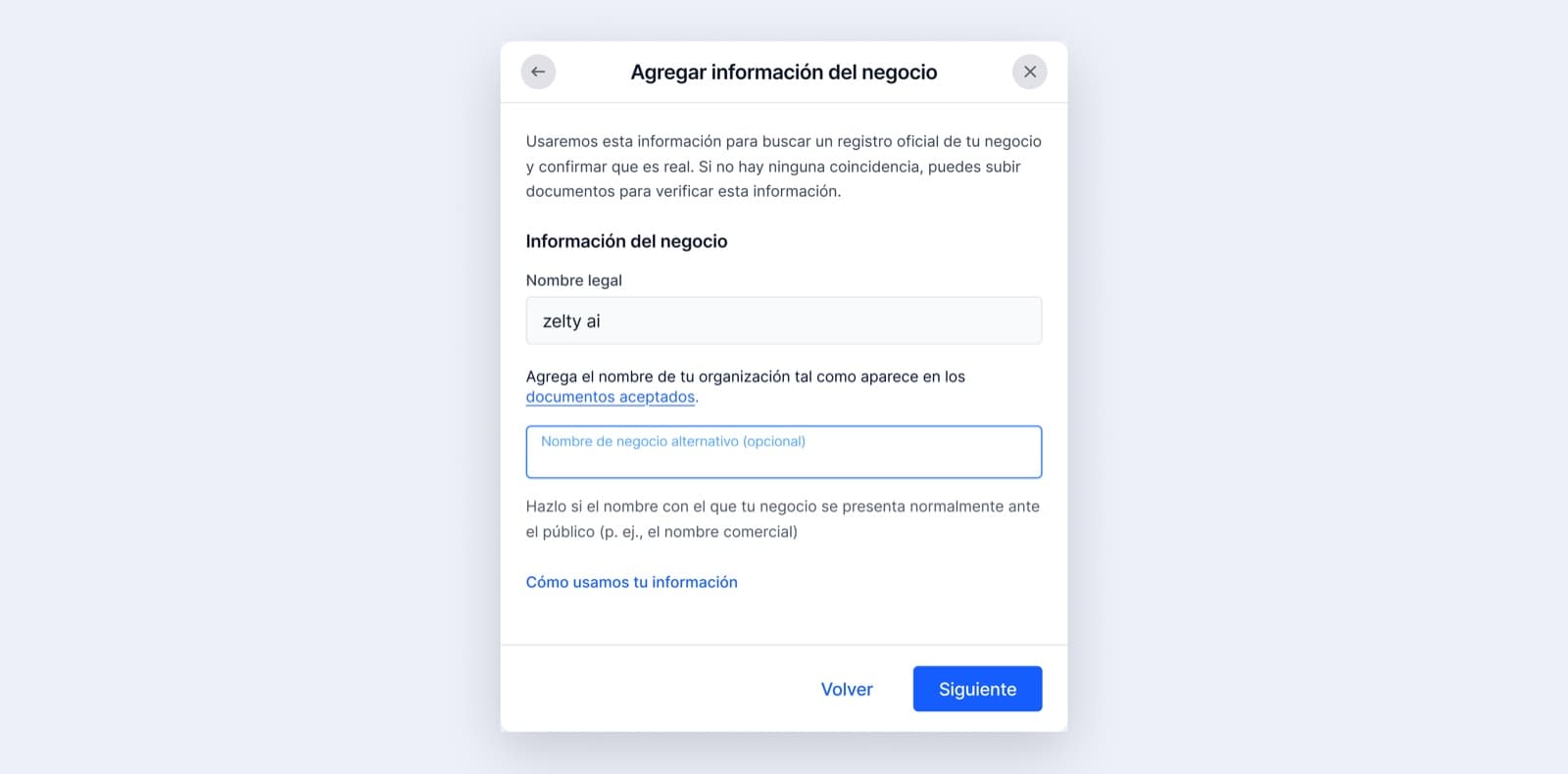
- 12
Fill in the business's exact address (a tax document can help):
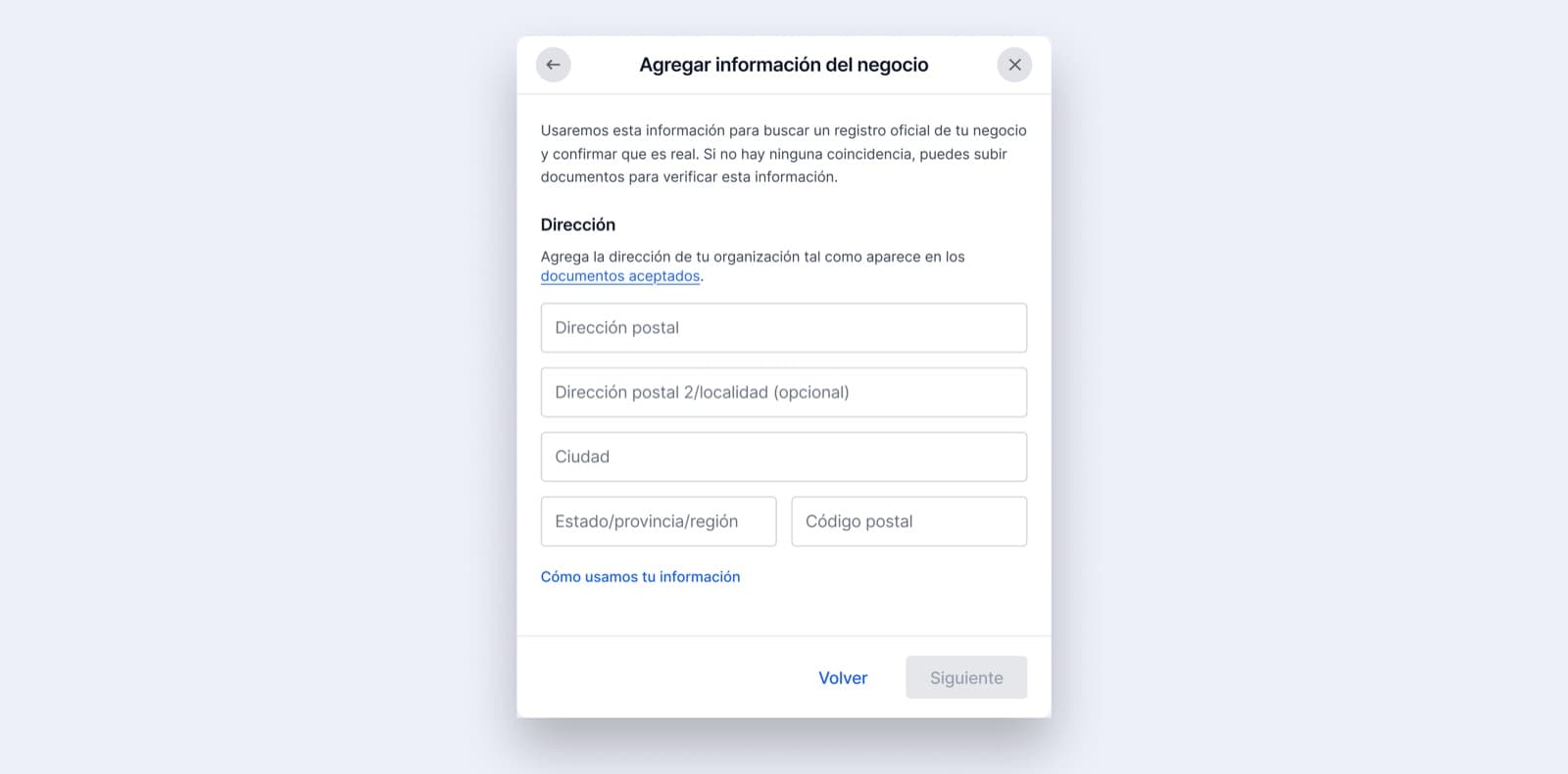
- 13
Enter the mobile number your business is registered with and its website.
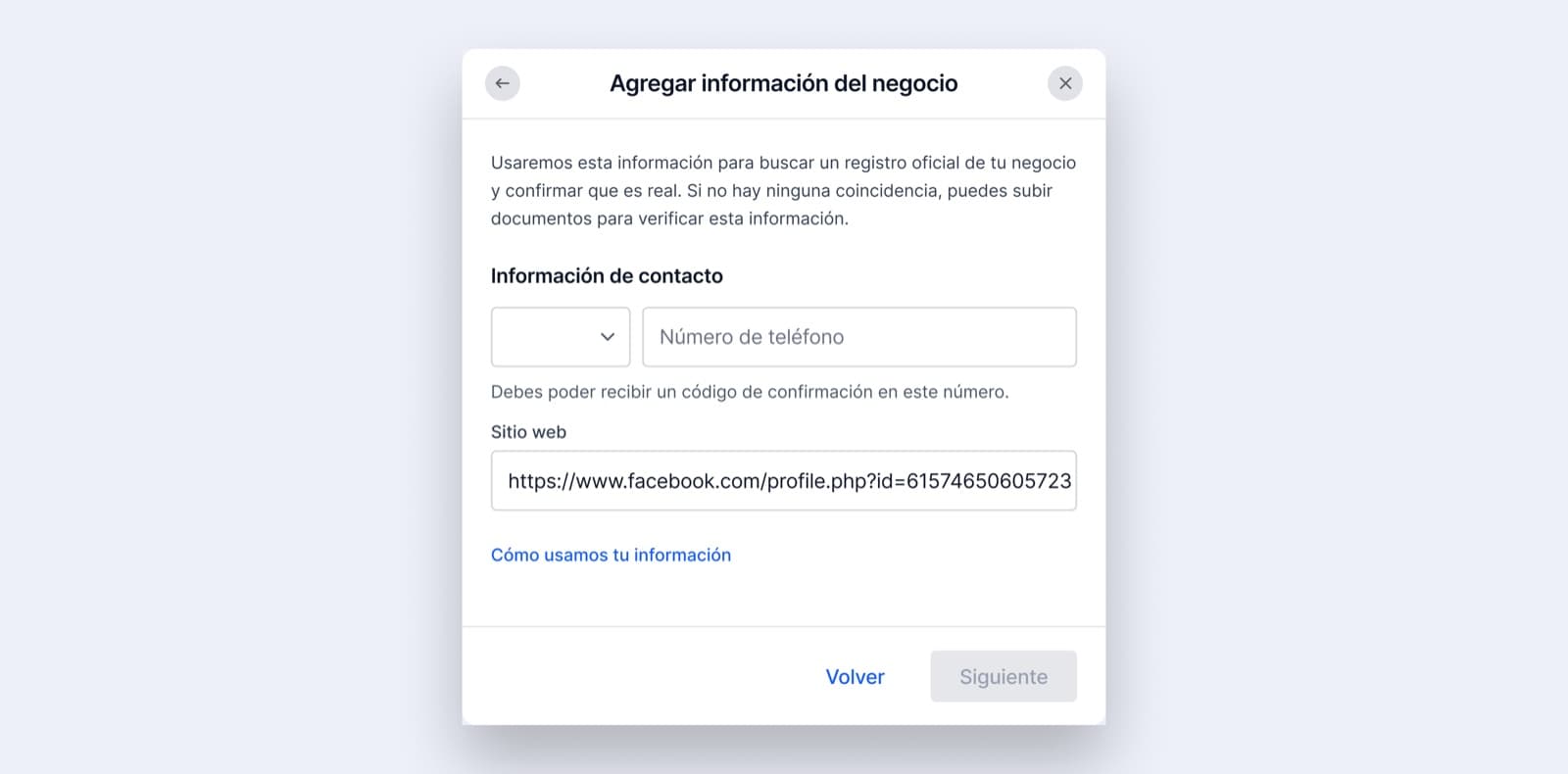
- 14
Select the business that matches the details registered for your company and review them.
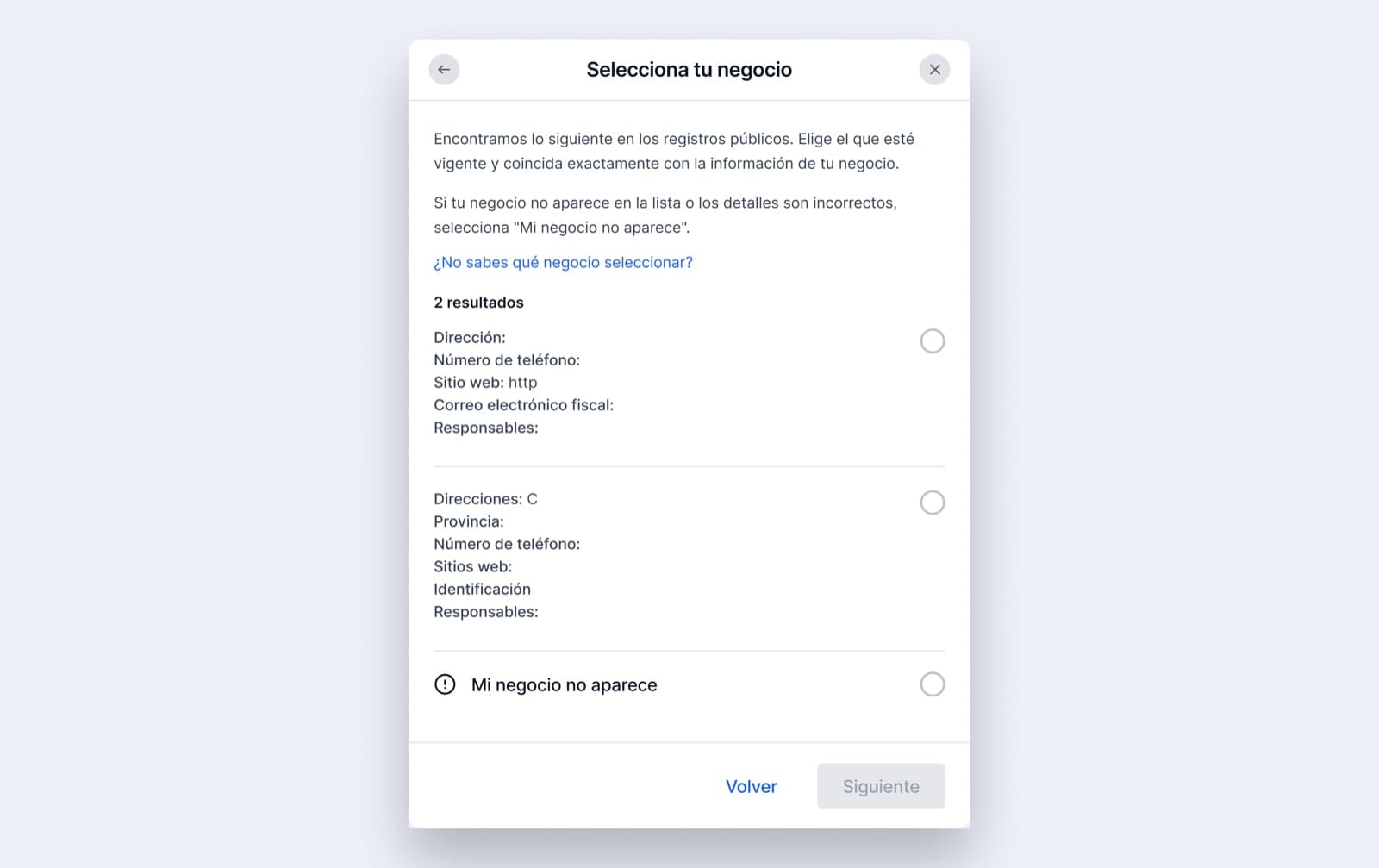
- 15
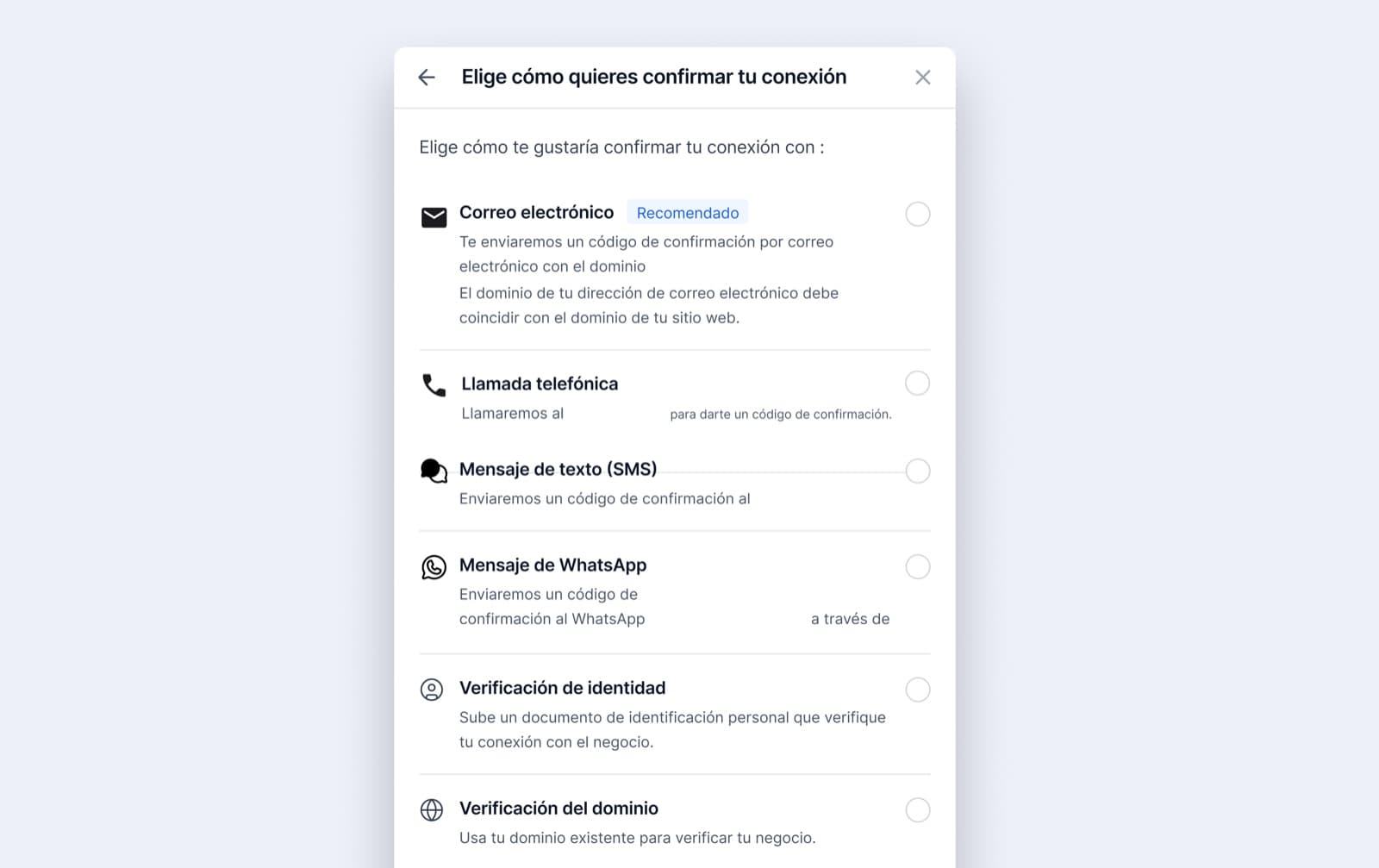
Choose the verification method; we recommend the email linked to your domain or a WhatsApp message to the associated number.
Share this article