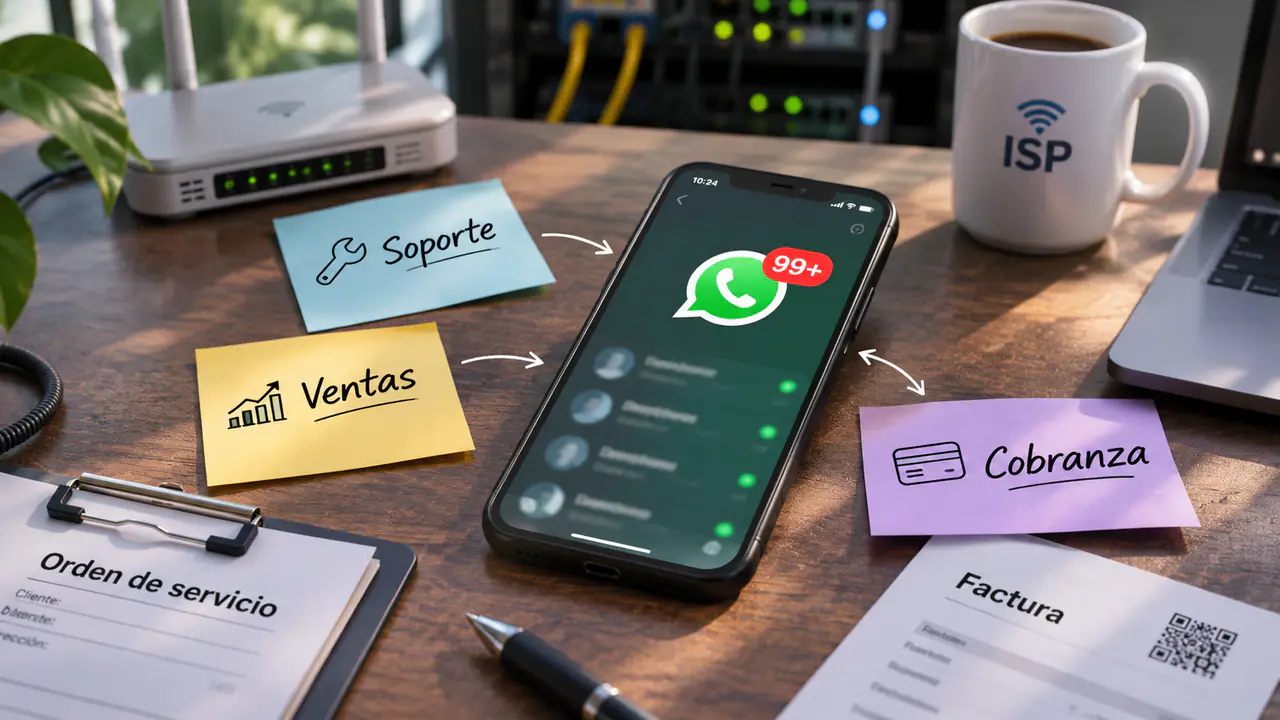
If you're reading this, you probably own an ISP with 1,000, 3,000 or maybe 5,000 subscribers. And you very likely know this feeling: the 5th of the month arrives, or a holiday Monday after a storm, and your personal phone won't stop ringing.
In our onboarding sessions at Zelty AI, we usually ask a simple question: "How is your support team organized today?". The answer, in 90% of cases, is an awkward silence.
Part 1: The Mindset Shift (Goodbye WhatsApp Business, Hello Centralization)
The first mistake is believing WhatsApp Business is a support tool for teams. It isn't. WhatsApp is designed for one-to-one conversations.
It's a "black box"
If two people answer the same phone, they step on each other's toes. You don't know who replied what.
There's no organized history
A customer writes "I already paid" and you have to scroll up 50 messages to see who they were and what plan they had.
There's no rest
If the phone rings at 11 PM on a Sunday, you feel the pressure to answer.
Human dependency
If your billing person gets sick, nobody knows what they were discussing with customers.
The Solution: The Communications Management System (Chatwoot)
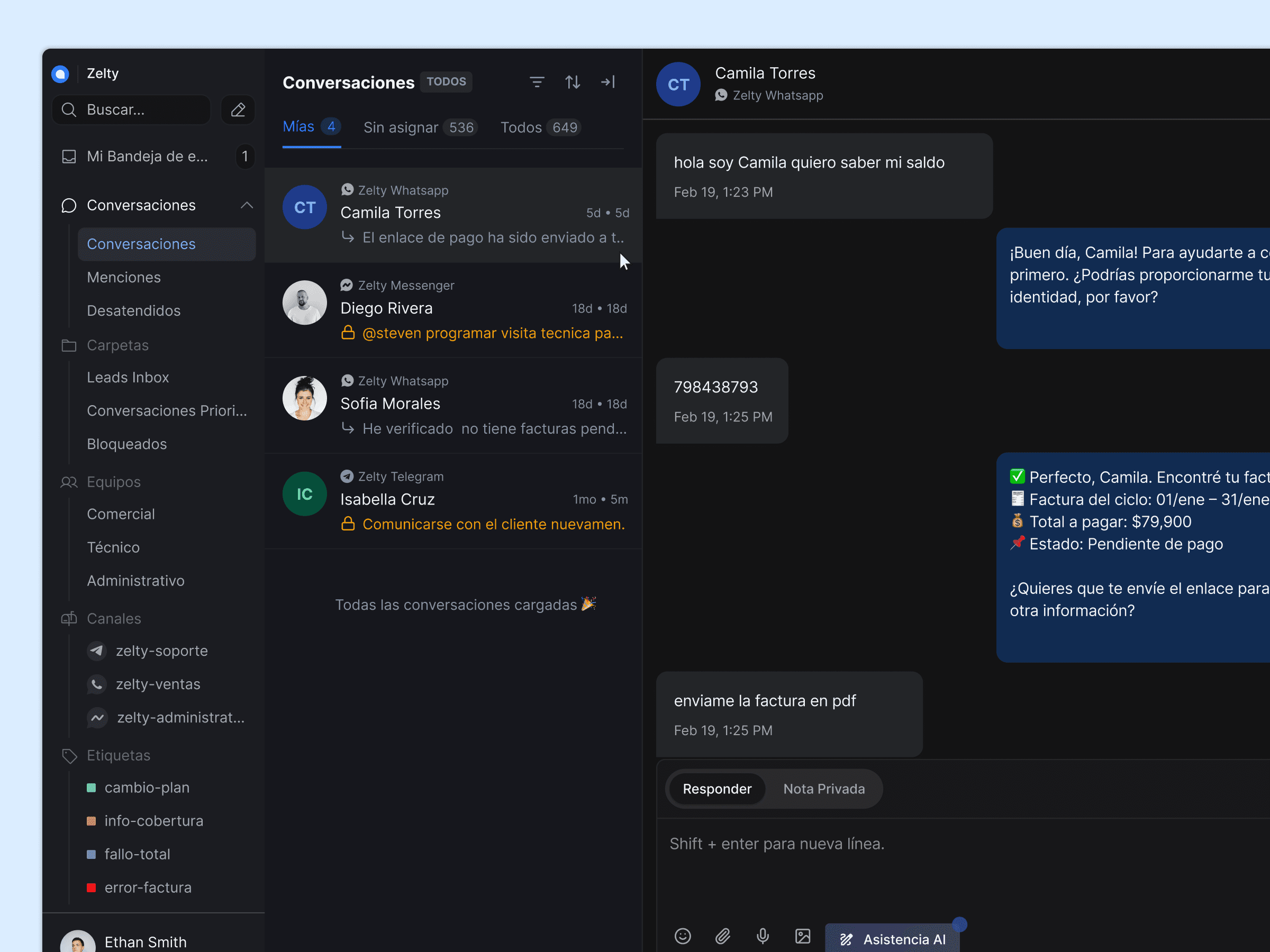
For our AI agents (Zelty) to work, we need a place for them to "live". That place is Chatwoot. Think of Chatwoot as a virtual office where every message (WhatsApp, Facebook, Instagram, Telegram) lands in a single inbox.
Part 2: The Three Pillars of Your ISP (Even If It's Just You)
It doesn't matter if your company is you and your partner, or if you have 5 employees. Your ISP always has three invisible departments. The secret to getting organized is recognizing them and handling them separately, even if the same person serves all three.
Our AI agents are designed to cover these three pillars:
1. The Sales Pillar (Sales and New Customers)
This is where money comes in. These are the people asking "Do you have coverage in neighborhood X?" or "How much is the 50 Mbps plan?".
- The common mistake: Mixing these questions with "I have no internet" complaints. If you take too long to answer a sale because you're handling a complaint, you lose money.
- The Zelty solution: Our Digital Sales Agent handles this 24/7. It checks coverage, gives prices and takes the customer's details.
2. The Billing Pillar (Payments and Invoicing)
This is where money is secured. These are the "Send me the invoice", "I already paid, here's a photo of the receipt", "What's the account to transfer to?" messages.
- The common mistake: Having a talented person copying and pasting account numbers all day or checking receipt photos by hand.
- The Zelty solution: Our Digital Billing Agent automates this. It sends invoices, reads receipts and reactivates services.
3. The Technical Pillar (Support and Repairs)
This is where customers are retained. These are the "It's slow", "The fiber got cut", "I changed my Wi-Fi password" messages.
- The common mistake: Sending a technician to the customer's home only to find the router was unplugged or there was no power in the house.
- The Zelty solution: Our Digital Technical Agent does the triage. It diagnoses, restarts the ONU remotely and filters out the "junk" cases before they reach your human technician.
Part 3: Setting Up Your "Command Center" (Chatwoot)
Now that we understand the three pillars, let's set them up in Chatwoot. Don't worry, it's very simple. We'll use two key concepts: Teams and Labels.
Step A: Creating "Teams"
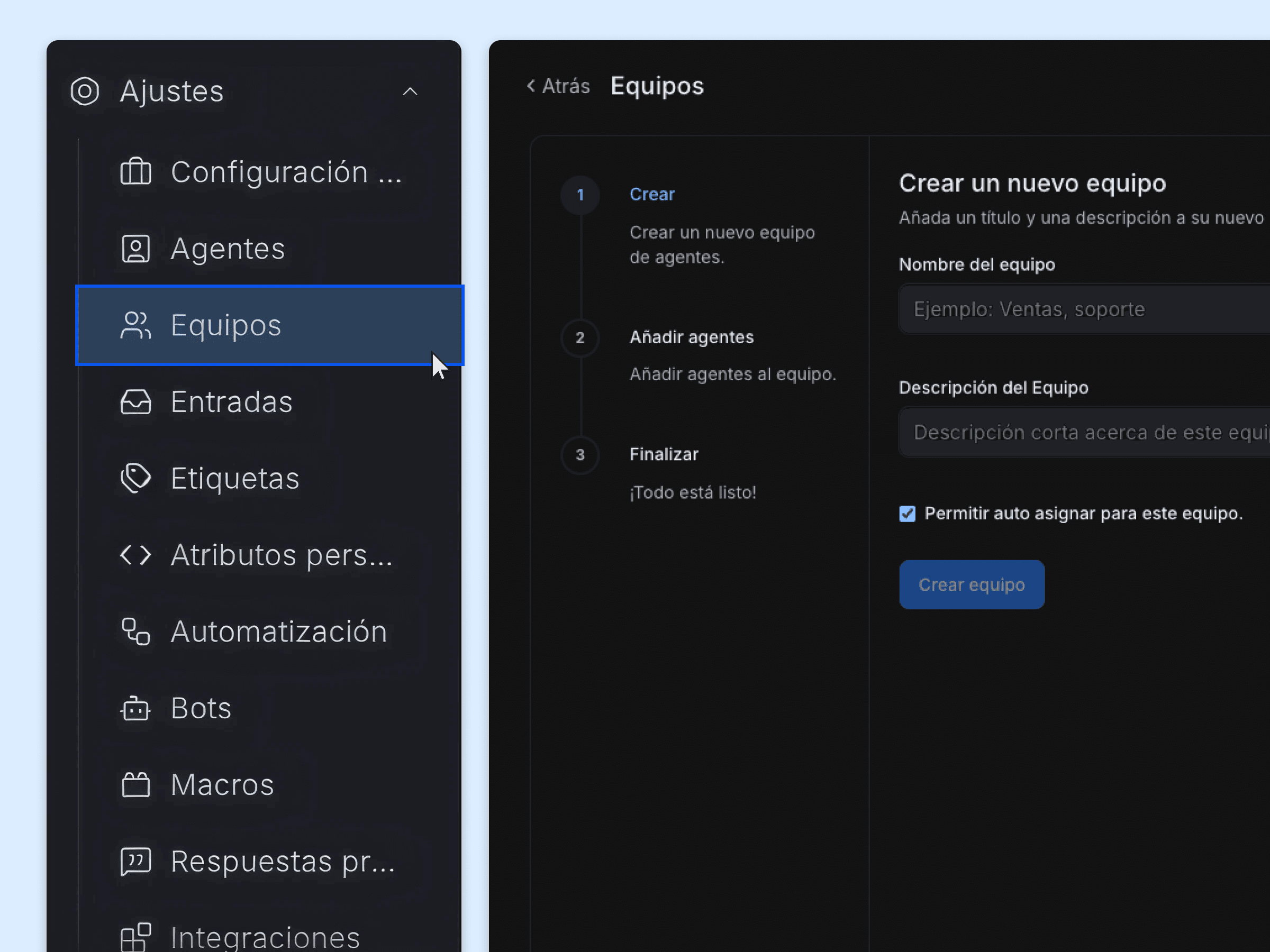
How do you assign staff?
- If you're a team of 2 (e.g., María and Juan):
- 1María (Billing) is assigned to the teams: Sales and Billing.
- 2Juan (Technical) is assigned to the team: Technical.
- This way Juan isn't distracted by pricing questions, and María isn't distracted by ONU configurations.
Step B: Using "Labels" to Measure What Hurts
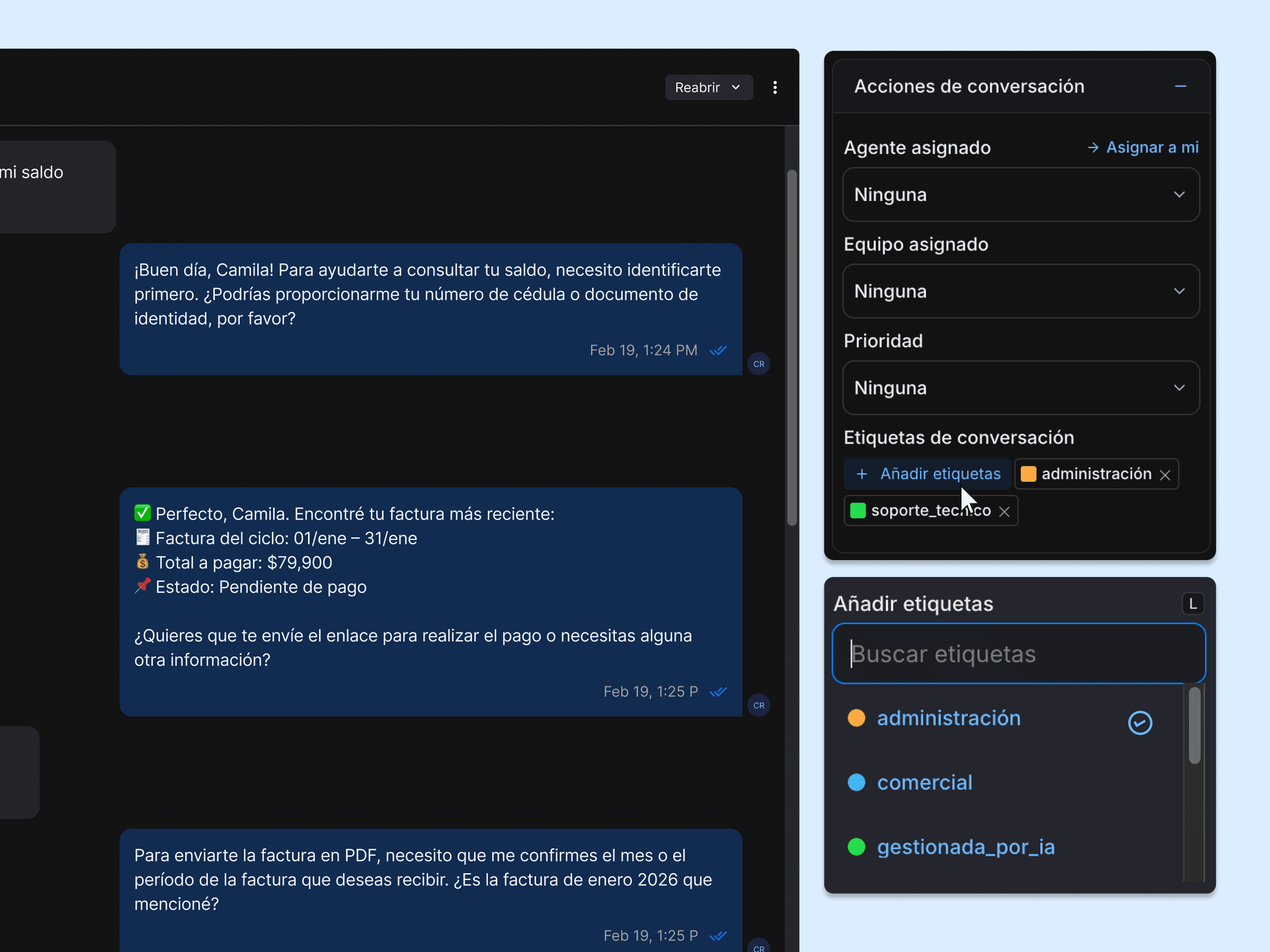
Labels are like colored sticky notes you put on each conversation. They're vital to know what's happening in your business at the end of the month.
Default labels created by the Zelty AI agents:
- Gestionada_por_IA (handled by AI): The AI attended the conversation and gave a relevant answer, but it still needs human intervention to be resolved.
- Resuelta_IA (resolved by AI): The AI resolved the conversation without human intervention.
- Transferida (transferred): The conversation was transferred to a human agent.
Recommended labels to get started:
- Plan_a_Prueba (plan on trial): The customer is trying a new plan.
- Falla_Masiva (mass outage): Use it when a node goes down and 50 people write the same thing.
- Visita_Tecnica (field visit): When the problem requires going to the home.
- Sin_Cobertura (no coverage): There's no coverage in the customer's area.
- Cliente_Enojado (upset customer): To give priority and special follow-up.
Part 4: The Workflow (the Real Operations Guide)
This is where the magic happens. Let's define when the AI works and when your team works.
Scenario 1: The New Customer (Sales)
- 1Customer writes: "Hi, I want 50 Mbps internet."
- 2Zelty action (Sales Agent):
- Greets them and asks for their location.
- Checks coverage on your maps/lists.
- Shows prices and plans.
- Collects details (ID, phone, plan, etc.).
- 3Result A (success): The AI closes the sale, creates the customer in your system and labels the conversation Gestionada_por_IA. Your team only sees the result.
- 4Result B (handoff): The customer has complex questions. The AI assigns the conversation to the Sales Team in Chatwoot.
- 5Human action: Your billing person gets a notification, opens it, reads the summary the AI left ("The customer wants the 50 Mbps plan, lives in neighborhood X, but has questions about the minimum term") and closes the sale.
Scenario 2: The Headache (Technical Support)
- 1Customer writes: "My internet isn't working."
- 2Zelty action (Technical Agent):
- Checks whether the customer is up to date on payments (if they owe, it sends them to pay).
- Checks whether there's a mass outage in the area (if there is, it notifies and closes).
- Connects to your OLT and diagnoses the ONU (Is it off? Low signal? In LOS?).
- If needed, restarts the ONU remotely.
- If that doesn't fix it, guides the customer to check cables and the power supply.
- 3Result A (success): It was a loose cable or a frozen router. The customer says "it works now". Done.
- 4Result B (ticket): The AI detects "LOS" (fiber cut) or the customer is still without service.
- 5Zelty action: The AI creates a ticket in your management system (ISP Cube, Wispro, etc.) with all the technical information and assigns the conversation to the Technical Team.
Part 5: When to Create a Ticket and When It's Just a Conversation?
This is the number one question from ISP owners.
- Conversation (Chatwoot): The real-time chat. It's for quick questions, balance inquiries or instant diagnostics.
- Ticket (your management system): A "work order". It's created when something takes time or requires a trip.
The 5-Minute Rule:
- If it's solved in the chat in under 5 minutes (e.g., sending an invoice, restarting the router, explaining something) -> It stays in Chatwoot. No ticket is created.
- If it needs a technician to go to the home, or an engineer to check the tower's configuration -> Zelty creates a ticket and notifies you.
The ideal flow with Zelty: Our agents are programmed to tell the difference.
- If the Technical Agent detects "Loss of Signal (LOS)", it knows chatting won't fix it. It automatically creates the ticket for the field crew and gives the customer the claim number.
- Your human team doesn't waste time chatting; it just receives the ticket already diagnosed and ready to schedule the visit.
Part 6: Best Practices for Small Teams (1 to 3 people)
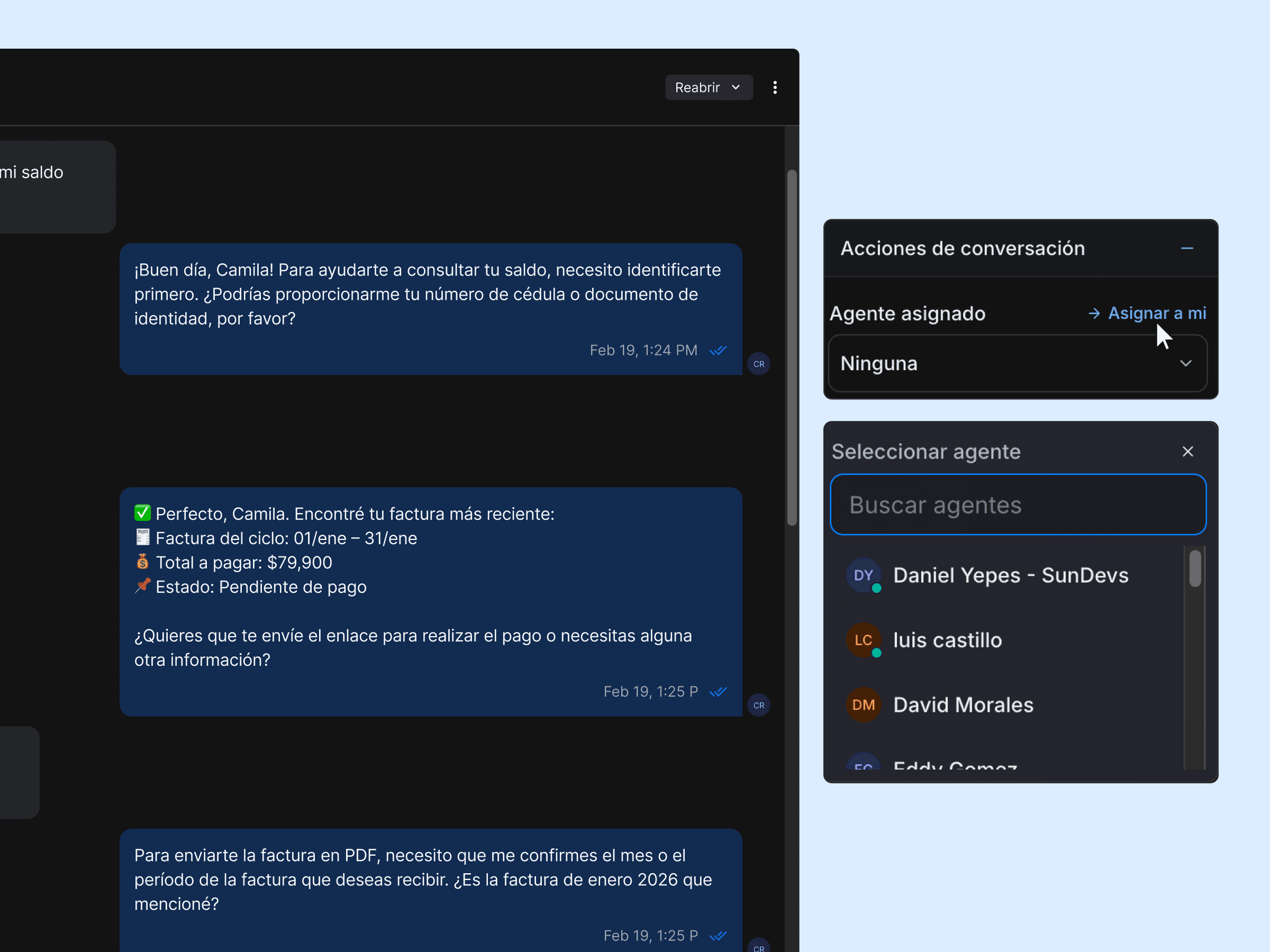
Assigning "owners"
In Chatwoot, never leave a conversation "floating" in the team. If María takes a billing case, she should assign it to herself. That way Juan knows that customer is already being served.
Using "private notes"
Chatwoot lets you leave internal notes the customer doesn't see.
- Example: Juan (technician) reviews a case and sees it's a payment problem. Instead of telling the customer, he tags the Billing Team and leaves a private note: "María, this customer says they can't browse but it's because they owe 2 months, please handle it" and transfers the conversation.
The "passive on-call" schedule
With Zelty, you no longer need to be glued to the phone on weekends.
- Set up Zelty to handle all of Level 1.
- If there's a real emergency (e.g., a corporate customer is down), Zelty can be set up to escalate or send an alert, but 90% of the noise (balance questions, "my internet is slow" that a restart fixes) is filtered by the AI.
Don't delete, "resolve"
Never delete conversations. When you're done with a customer, mark the conversation as "Resolved". That clears the inbox but keeps the history for the future. If the customer writes again in a month, you and Zelty can see what happened last time.
Conclusion: From Firefighter to Manager
Moving from WhatsApp Business to an organized system like Chatwoot with artificial intelligence isn't just a software change, it's a life change.
You stop being the jack-of-all-trades running around with a fire extinguisher and become the manager watching a dashboard.
- Payments process themselves.
- Simple questions answer themselves.
- Technicians only get real, confirmed visits.
- And you... you get your weekends back.
If you have a team of 1 to 3 people, this is the moment to get organized. Don't wait until you have 10,000 subscribers to act like a big company. The technology to do it is already here, it's accessible, and it's called Zelty.
Share this article