Behind every photo there's an agent who has to open it, find the customer in the CRM, check which invoice they owe and log the payment by hand. And they have to get it right, because this is money.
At Zelty we automate that work. This article explains how we do it and, above all, how we keep the automation from logging a payment that doesn't exist.
A photo is not a payment
A receipt is an image the customer sends, and an image can be wrong or made up. These are the cases we see every week at the ISPs we work with:
- Fake receipts. In Colombia there are apps that generate Nequi or Bancolombia receipts in seconds. At a glance they look real.
- Payments to another account. The customer transfers to an old account, a neighbor's or another provider's, and sends the photo anyway.
- Payments that don't add up. They pay a different amount from the invoice, or pay before the invoice is issued.
- Double payments. The customer resends the same photo days later, or an agent logs it after it was already logged.
- Photos nobody processes. The customer sends the receipt, closes WhatsApp and nobody looks at that conversation again.
An AI agent that "reads the photo and logs the payment" with no other checks makes every one of these cases worse, because it carries them out faster.
Why isn't it enough for the AI to read the photo?
Vision models read a receipt very well, but reading is not validating. A model can mistake a digit in the amount, or take something for a receipt when it isn't one: it happened to us with a barcode for paying in cash, which the model read as a payment already made.
On top of that, the model doesn't know what only your ISP knows: which accounts you get paid into, who the subscriber is and which invoice they have outstanding. That's why the AI reads and talks, and a set of fixed rules decides what gets logged on its own and what goes to your team:
| The agent logs it on its own | Goes to your team, with a note |
|---|---|
| The payment reached one of your official accounts or keys | The payee doesn't match or the receipt shows signs of editing |
| The subscriber confirmed their identity with their ID or tax number | The subscriber isn't in your CRM |
| The amount covers whole invoices, oldest first | The amount is less or more than the outstanding invoices |
| The debt is on a single account | The ID has debt on several accounts |
The AI talks with the subscriber and understands the photo. Anything that moves money is decided by rules that don't change from one conversation to the next.
How Zelty validates it
When a receipt arrives, Zelty's Digital Administrative Agent does this:
- 1Reads the receipt. It extracts the amount, date, reference, sending bank and who was paid. If the image isn't a receipt (an invoice, a barcode, a screenshot of the router), it logs nothing.
- 2Checks who was paid. It compares the payee with your ISP's official accounts, keys and account holders. If they don't match, or the receipt shows odd signs, it flags it for human review.
- 3Identifies the account holder. It asks for their ID or tax number and confirms the identity against your CRM before touching any account.
- 4Matches the payment to invoices. It looks up the outstanding invoices in the CRM and logs the payment only if the amount covers whole invoices, oldest first. Right before logging it checks again, in case something changed along the way.
- 5Logs it or hands it to an agent. If everything adds up, it logs the payment in the CRM and confirms it to the customer. If something doesn't, it transfers the conversation to your team with an internal note: amount, date, reference and the exact reason.
Here are three real receipts the agent received at the same ISP. They come from three different apps, and in none of them does the payee look the same: full name, a name masked by the bank, or just the last four digits of the account. That's why the payee is checked against the list of accounts and keys you give us, not just the name.
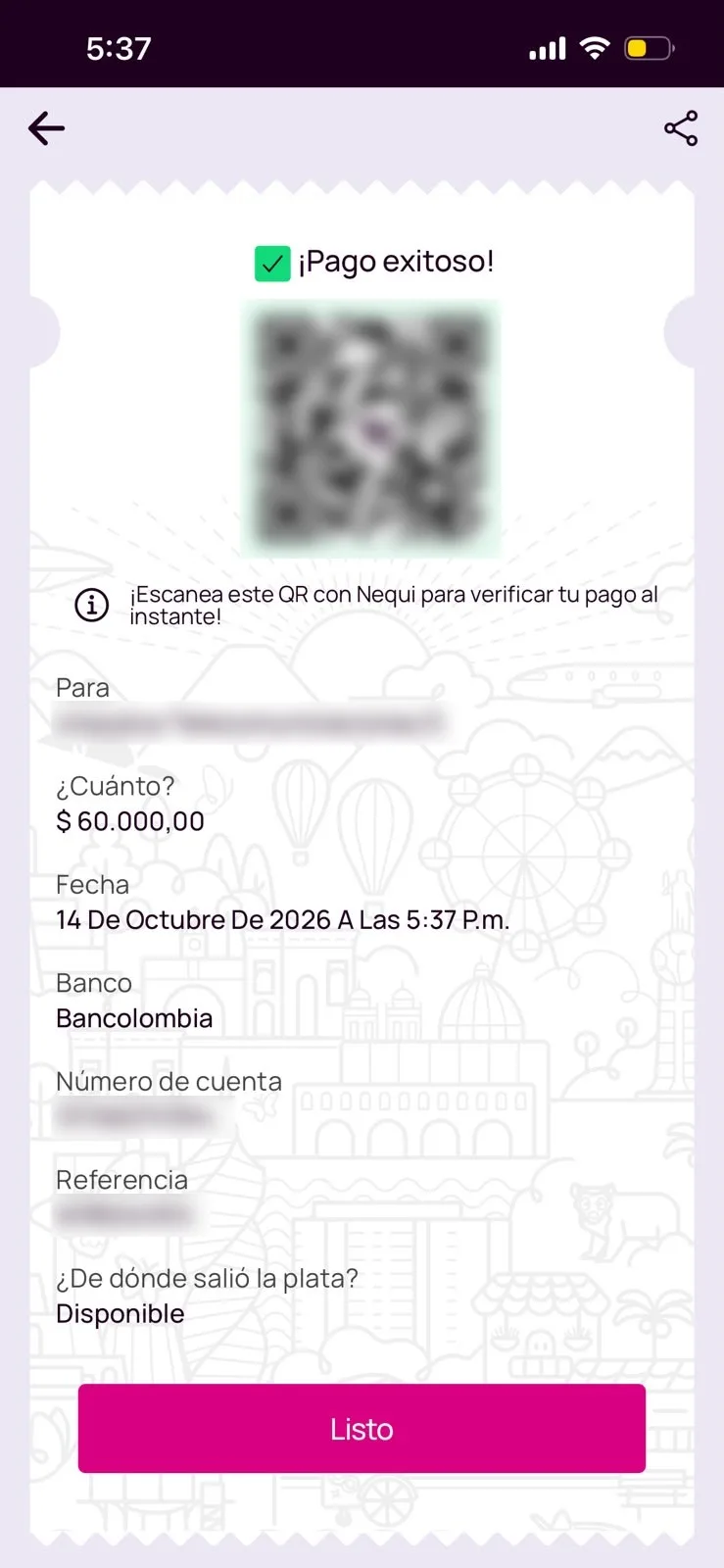
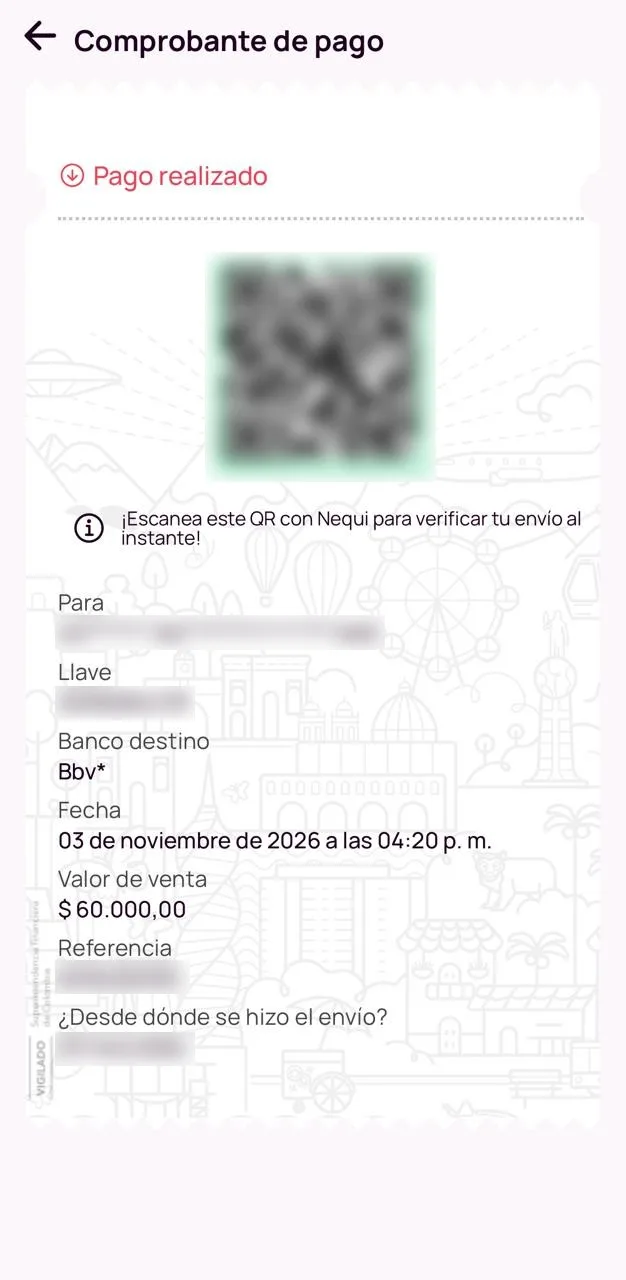
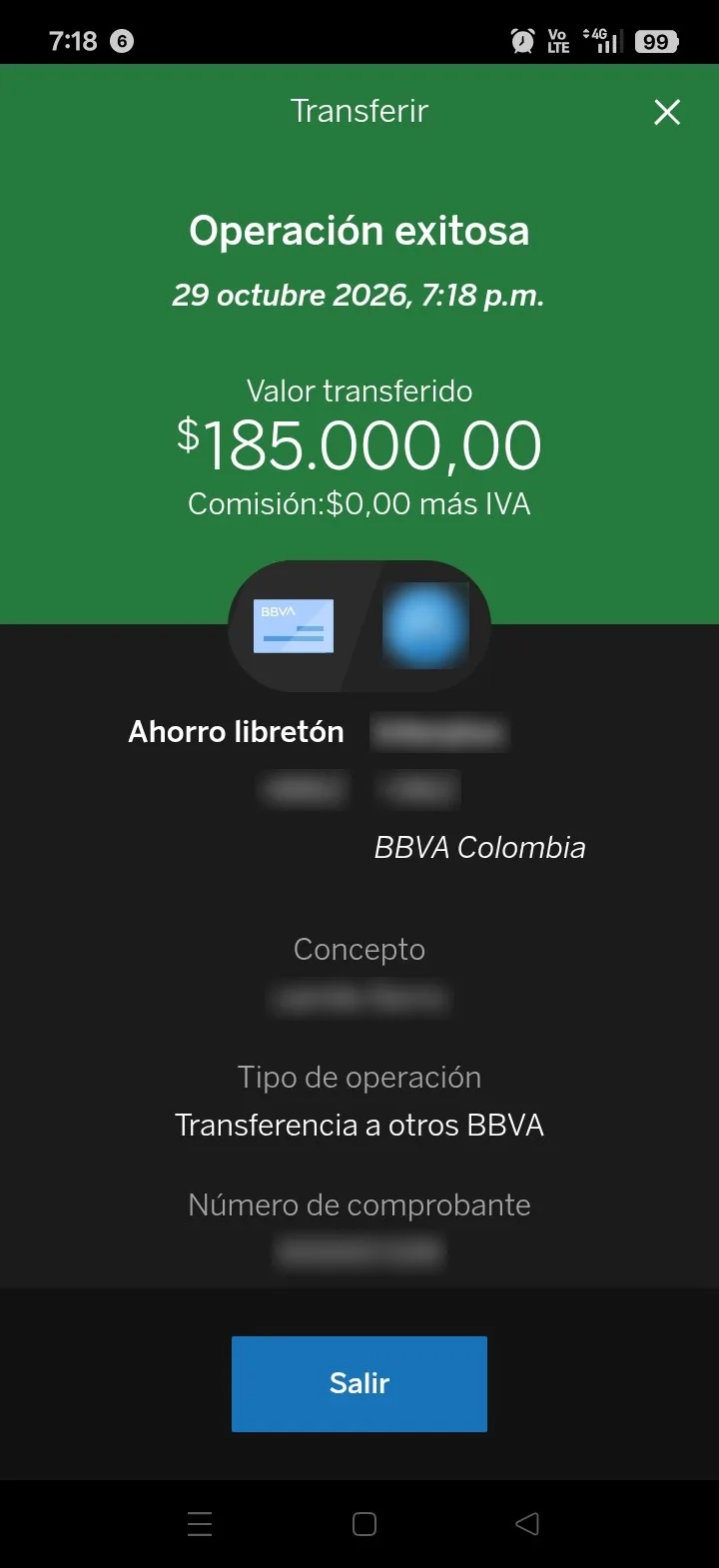
The rules that move money are enforced in code: without a confirmed identity, without invoices looked up, or with an amount that doesn't add up, the payment isn't logged, whatever the conversation says. And service is only turned back on when the account is up to date in the CRM.
Agents stop logging payments one by one and only review the doubtful cases, which arrive with all the context.
The numbers
At an ISP in Colombia that runs on Wispro, between October 26 and November 9, 2026, Zelty's agent:
- logged 269 payments directly in the CRM;
- for a total of 16.6 million Colombian pesos;
- with zero payments logged for an amount different from the receipt.
That's about 19 payments a day that no agent had to log by hand, and that the customer saw confirmed in the same chat where they sent the photo.
A module for any CRM
This validation lives in a payment receipt module that any Zelty ISP can use, whatever its CRM. What it adds:
- Duplicate receipts across your whole operation. The same receipt is never logged twice, even if it arrives through another conversation, another customer sends it or an agent already logged it.
- Early payments as credit. If the customer pays before the invoice is issued, the payment is logged and applied automatically once the invoice comes out.
- No receipt left unattended. If the customer sends the photo and leaves before finishing, the conversation goes to your team with the receipt note instead of closing.
- More time to pay. When a customer checks their balance, the conversation stays open longer so they can pay and send the receipt without starting over.
- Confirmation only when in doubt. If the payment adds up, it's logged directly. If it could go to two services or it's a partial payment, the agent asks the customer before logging it.
What you need to turn it on
There are no rules to write and nothing to train. During onboarding we ask you what only your ISP knows:
- which accounts, keys and QR codes you get paid into, and in whose name;
- which payment methods you accept and which reconcile on their own;
- what to do when the amount doesn't add up or the customer has several accounts;
- which team gets the doubtful cases and during what hours.
With that, Zelty connects to your CRM and starts validating receipts against your real accounts and invoices.
From logging payments to reviewing exceptions
Cutoff day won't stop filling up with receipts. What can change is who processes them.
When the agent logs the payments that add up, your team stops being a data-entry line and only reviews what needs human judgment: the doubtful receipt, the payment that doesn't add up, the subscriber with two accounts. Every case arrives with a note explaining why.
The question for your ISP isn't whether AI can read a receipt. It's which rules you want enforced before a payment touches your CRM.
Frequently asked questions
Can an AI agent log payments directly in my CRM?
Yes, if the rules that decide the logging live outside the model. At Zelty the agent logs a payment only when the subscriber is identified and the amount covers whole invoices; everything else goes to your team. It works with Wispro and any other CRM connected to Zelty.
What if the receipt is fake?
In Colombia there's no public bank API to confirm a transfer, so no system that only sees the image can guarantee it 100%. The agent checks the payee, the date, the amount against the invoice and signs of editing. If something doesn't add up, the case goes to your team before anything is logged.
What if the subscriber pays a different amount from their invoice?
The agent doesn't log payments that don't cover whole invoices: it hands the conversation to your team with a note explaining the difference. Early payments are kept as credit, according to the rules you set.
Does the agent turn service back on after the payment?
Only when the account is up to date in your CRM. A receipt on its own doesn't turn anything back on.
Do I still need my team?
Yes, but for something else. They stop keying in payments one by one and only review the cases that need human judgment, which arrive with the reason and the receipt details.
Share this article